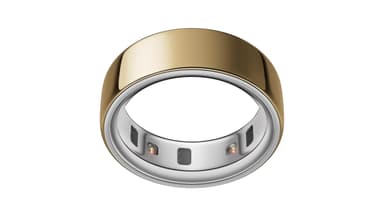
How to Find Your Lost Oura Oura Ring 4 in Minutes
The Oura Ring 4 is the smallest BLE-enabled wearable on this list at just 3–6 grams, making it the single hardest device to find visually and the most likely to slip unnoticed off a finger — especially when hands are cold, wet, or recently lotioned, which shrinks the finger just enough for the ring to slide off. Its tiny antenna produces the weakest BLE 5.3 signal of any device EarBuddy supports, with an effective detection range of only 10–15 feet, demanding slow, close-range scanning. The ring's 100-meter water resistance means it will survive sinks, showers, and pools, but its small size makes drains a real danger — EarBuddy is often the last chance to locate it before it's gone for good.
Oura Ring 4 Bluetooth Specs
Bluetooth Version
BLE 5.3
Detection Range
10-15 feet indoors
Battery Life
8 days
Weight
3-6g (varies by size)
Water Resistance
100 meters
Price
$349
Release Year
2024
Why Your Phone Can't Find Your Oura Ring 4
The Oura app has absolutely no find or locate feature. For a $349 ring that's smaller than a coin, this is a major oversight. Once it slips off, you're on your own.
Step-by-Step: Find Your Oura Oura Ring 4 With EarBuddy
Your Oura Ring 4 uses BLE 5.3, broadcasting at 2.4 GHz with a typical range of 10-15 feet indoors. With up to 8 days of battery life, there's a good chance it's still transmitting. Here's how to track it down:
Open EarBuddy and start scanning immediately.
Oura Ring 4 emits a BLE signal, though it's weaker than larger devices.
Search the area slowly — bathroom sinks, nightstands, gym floors.
Move very slowly and get close to surfaces. The ring's small antenna means shorter range.
When signal peaks, search that exact spot — check drains, crevices, and gaps.
Ready to Find Your Oura Ring 4?
Download EarBuddy and start scanning in seconds. The Bluetooth radar works with all BLE devices — no pairing required.
Download EarBuddy to Find Your OuraFrequently Asked Questions
Can the Oura app find my ring?
How hard is it to find an Oura Ring with Bluetooth?
Find Other Devices
Apple
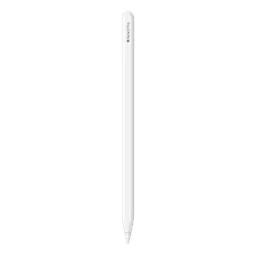
Apple Pencil Pro
Lost your $129 Apple Pencil Pro? It rolls off desks and vanishes into couches. Use EarBuddy to scan for its Bluetooth signal and find it.
Apple
Apple Pencil 2nd Generation
Lost your Apple Pencil 2? It's thin, it rolls, and it disappears. Use EarBuddy's Bluetooth scanner to detect its BLE signal and track it down.
Samsung
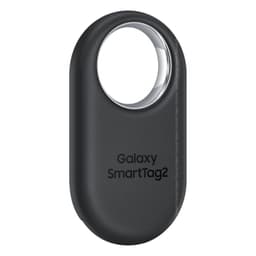
Galaxy SmartTag 2
Lost something with a Galaxy SmartTag 2? SmartThings is Samsung-only. Use EarBuddy to detect the BLE signal from any phone, including iPhone.