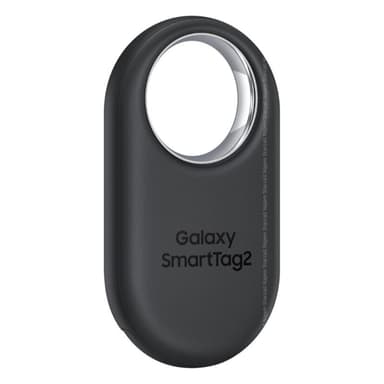
How to Find Your Lost Samsung Galaxy SmartTag 2 in Minutes
The Galaxy SmartTag 2 broadcasts the longest-lasting BLE signal of any device on this list — up to 500 days on a single CR2032 coin cell — making it virtually always findable by EarBuddy as long as you search within about a year and a half. Its ring-shaped design is meant for keychains and luggage tags, but many users attach it to items and then forget they have one, leading to confusion when scanning. With BLE 5.3 and a purpose-built tracking antenna, EarBuddy can detect it from 40 feet indoors and 120+ feet in open outdoor spaces — the longest range of any device in this database — but SmartThings Find is completely locked to Samsung Galaxy phones, leaving all iPhone users without any native option.
Galaxy SmartTag 2 Bluetooth Specs
Bluetooth Version
BLE 5.3
Detection Range
40 feet indoors, 120+ feet outdoors
Battery Life
500 days (CR2032 replaceable)
Weight
14.5g
Water Resistance
IP67
Price
$29
Release Year
2023
Why SmartThings Find Can't Find Your Galaxy SmartTag 2
SmartTag 2 works with SmartThings Find on Samsung Galaxy phones. iPhone users and non-Samsung Android users cannot use Samsung's tracker network at all.
Step-by-Step: Find Your Samsung Galaxy SmartTag 2 With EarBuddy
Your Galaxy SmartTag 2 uses BLE 5.3, broadcasting at 2.4 GHz with a typical range of 40 feet indoors, 120+ feet outdoors. With up to 500 days (CR2032 replaceable) of battery life, there's a good chance it's still transmitting. Here's how to track it down:
Open EarBuddy and start scanning.
SmartTag 2 emits a strong BLE signal — it's designed to be found.
Walk around the area where the tagged item should be.
Signal strength increases as you approach.
Check bags, keychains, wallets, and luggage where the tag is attached.
Ready to Find Your Galaxy SmartTag 2?
Download EarBuddy and start scanning in seconds. The Bluetooth radar works with all BLE devices — no pairing required.
Download EarBuddy to Find Your SamsungFrequently Asked Questions
Can I use Galaxy SmartTag 2 with an iPhone?
How long does Galaxy SmartTag 2 battery last?
Find Other Devices

Samsung
Galaxy Buds 3 Pro
Lost your Samsung Galaxy Buds 3 Pro? EarBuddy scans for their BLE signal on any phone — no Samsung account or Galaxy phone required.
Samsung
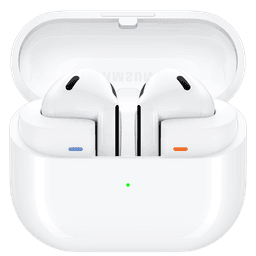
Galaxy Buds 3
Lost your Samsung Galaxy Buds 3? Use EarBuddy to detect their Bluetooth signal from any phone — no Samsung Galaxy device required.
Samsung
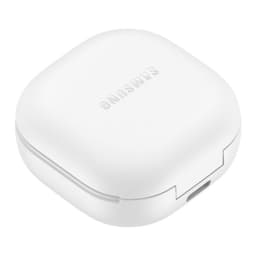
Galaxy Buds 2 Pro
Lost your Samsung Galaxy Buds 2 Pro? EarBuddy detects their BLE signal in real-time — works even when SmartThings shows only last known location.
Samsung
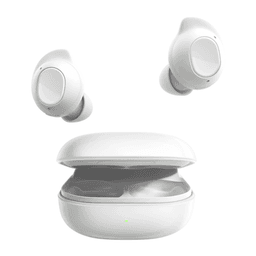
Galaxy Buds FE
Lost your $99 Galaxy Buds FE? Don't need a Samsung phone to find them — EarBuddy scans for their Bluetooth signal from any device.