
How to Find Your Lost Samsung Galaxy Buds 3 Pro in Minutes
The Galaxy Buds 3 Pro are Samsung's first earbuds with a blade-like stem design inspired by the AirPods Pro, replacing the bean shape of earlier models — and the protruding stems can catch on scarves and jacket collars, causing them to pop out unnoticed. They feature BLE 5.4, the newest Bluetooth standard in any consumer earbud, which provides EarBuddy with a cleaner, more detectable advertisement signal at ranges up to 33 feet indoors. SmartThings Find is entirely locked to Samsung Galaxy phones, so the estimated 50% of Buds 3 Pro owners who use iPhones have no native way to locate them without EarBuddy.
Galaxy Buds 3 Pro Bluetooth Specs
Bluetooth Version
BLE 5.4
Detection Range
33 feet indoors
Battery Life
6 hours (26 with case)
Weight
4.8g per earbud
Water Resistance
IP57
Audio Codecs
Samsung Seamless, AAC, SBC
Case Battery
26 hours
Price
$249
Release Year
2024
Why SmartThings Find Can't Find Your Galaxy Buds 3 Pro
SmartThings Find requires a Samsung Galaxy phone with a Samsung account. If you use an iPhone or a non-Samsung Android phone, you cannot use SmartThings to locate your Buds.
Step-by-Step: Find Your Samsung Galaxy Buds 3 Pro With EarBuddy
Your Galaxy Buds 3 Pro uses BLE 5.4, broadcasting at 2.4 GHz with a typical range of 33 feet indoors. With up to 6 hours (26 with case) of battery life, there's a good chance it's still transmitting. Here's how to track it down:
Open EarBuddy and start scanning.
Galaxy Buds 3 Pro emit a BLE signal that EarBuddy can detect on any phone.
Walk through the area where you last had them.
Watch for increasing signal strength on the radar display.
The Buds 3 Pro are small — check bag pockets, between seats, and on shelves.
Ready to Find Your Galaxy Buds 3 Pro?
Download EarBuddy and start scanning in seconds. The Bluetooth radar works with all BLE devices — no pairing required.
Download EarBuddy to Find Your SamsungFrequently Asked Questions
Can I find Galaxy Buds 3 Pro without a Samsung phone?
Do Galaxy Buds 3 Pro work with Find My on iPhone?
Find Other Devices
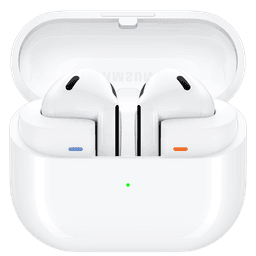
Samsung
Galaxy Buds 3
Lost your Samsung Galaxy Buds 3? Use EarBuddy to detect their Bluetooth signal from any phone — no Samsung Galaxy device required.
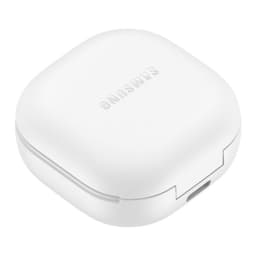
Samsung
Galaxy Buds 2 Pro
Lost your Samsung Galaxy Buds 2 Pro? EarBuddy detects their BLE signal in real-time — works even when SmartThings shows only last known location.
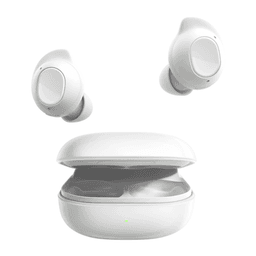
Samsung
Galaxy Buds FE
Lost your $99 Galaxy Buds FE? Don't need a Samsung phone to find them — EarBuddy scans for their Bluetooth signal from any device.
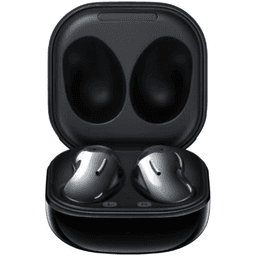
Samsung
Galaxy Buds Live
Lost your Samsung Galaxy Buds Live? Their bean shape makes them hard to spot. Use EarBuddy's Bluetooth scanner to track the signal and find them.