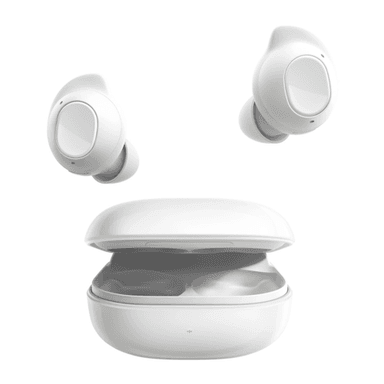
How to Find Your Lost Samsung Galaxy Buds FE in Minutes
The Galaxy Buds FE (Fan Edition) are Samsung's budget entry, reusing the one-size wing tip design from the original Buds Pro — while affordable at $99, their IPX2 rating is the lowest splash resistance in Samsung's lineup, meaning they're more vulnerable if lost outdoors in wet conditions. Their BLE 5.2 radio provides a steady signal that EarBuddy detects at about 30 feet, slightly less range than the newer 5.4 models. Because they're often a first pair of true wireless earbuds for many users, the Buds FE are disproportionately reported as lost in school campuses and public transit.
Galaxy Buds FE Bluetooth Specs
Bluetooth Version
BLE 5.2
Detection Range
30 feet indoors
Battery Life
6 hours (21 with case)
Weight
5.6g per earbud
Water Resistance
IPX2
Audio Codecs
Samsung Seamless, AAC, SBC
Case Battery
21 hours
Price
$99
Release Year
2023
Why SmartThings Find Can't Find Your Galaxy Buds FE
Galaxy Buds FE work with SmartThings Find, but only on Samsung phones. The budget-friendly price doesn't make them less frustrating to lose.
Step-by-Step: Find Your Samsung Galaxy Buds FE With EarBuddy
Your Galaxy Buds FE uses BLE 5.2, broadcasting at 2.4 GHz with a typical range of 30 feet indoors. With up to 6 hours (21 with case) of battery life, there's a good chance it's still transmitting. Here's how to track it down:
Open EarBuddy and start a Bluetooth scan.
Walk around the area where you last used your Galaxy Buds FE.
The app detects BLE signals from the Buds regardless of what phone you have.
Follow the increasing signal strength indicator.
Search the immediate area when the signal is strongest.
Ready to Find Your Galaxy Buds FE?
Download EarBuddy and start scanning in seconds. The Bluetooth radar works with all BLE devices — no pairing required.
Download EarBuddy to Find Your SamsungFrequently Asked Questions
Are Galaxy Buds FE compatible with EarBuddy?
I have an iPhone. Can I find my Galaxy Buds FE?
Find Other Devices

Samsung
Galaxy Buds 3 Pro
Lost your Samsung Galaxy Buds 3 Pro? EarBuddy scans for their BLE signal on any phone — no Samsung account or Galaxy phone required.
Samsung
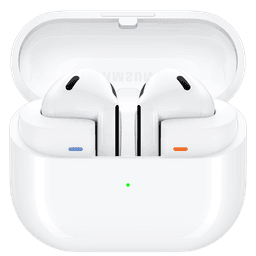
Galaxy Buds 3
Lost your Samsung Galaxy Buds 3? Use EarBuddy to detect their Bluetooth signal from any phone — no Samsung Galaxy device required.
Samsung
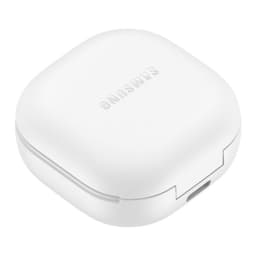
Galaxy Buds 2 Pro
Lost your Samsung Galaxy Buds 2 Pro? EarBuddy detects their BLE signal in real-time — works even when SmartThings shows only last known location.
Samsung
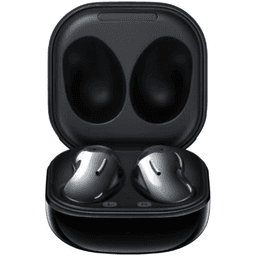
Galaxy Buds Live
Lost your Samsung Galaxy Buds Live? Their bean shape makes them hard to spot. Use EarBuddy's Bluetooth scanner to track the signal and find them.