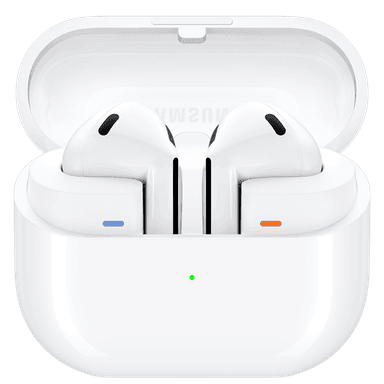
How to Find Your Lost Samsung Galaxy Buds 3 in Minutes
The Galaxy Buds 3 are the open-ear variant in Samsung's 2024 lineup, featuring no silicone tips and a lightweight 4.6g design that trades secure fit for all-day comfort — a trade-off that makes them more likely to fall out during head turns or while lying down. Their BLE 5.4 radio is identical to the Pro model, giving EarBuddy a strong, modern signal to lock onto from up to 33 feet. Unlike the Buds 3 Pro, the standard Buds 3 lack active noise cancellation, so users often wear them in noisier environments where they're more likely to remove and set them down absentmindedly.
Galaxy Buds 3 Bluetooth Specs
Bluetooth Version
BLE 5.4
Detection Range
33 feet indoors
Battery Life
5 hours (24 with case)
Weight
4.6g per earbud
Water Resistance
IP57
Audio Codecs
Samsung Seamless, AAC, SBC
Case Battery
24 hours
Price
$179
Release Year
2024
Why SmartThings Find Can't Find Your Galaxy Buds 3
SmartThings Find is Samsung-ecosystem only. iPhone users and non-Samsung Android users have no native way to locate Galaxy Buds 3.
Step-by-Step: Find Your Samsung Galaxy Buds 3 With EarBuddy
Your Galaxy Buds 3 uses BLE 5.4, broadcasting at 2.4 GHz with a typical range of 33 feet indoors. With up to 5 hours (24 with case) of battery life, there's a good chance it's still transmitting. Here's how to track it down:
Open EarBuddy and begin a Bluetooth scan.
Walk slowly around the area you last remember having your Galaxy Buds 3.
EarBuddy will display the BLE signal from your Buds on the radar.
Move toward the strongest signal reading.
Check nearby surfaces, bags, and coat pockets when the signal peaks.
Ready to Find Your Galaxy Buds 3?
Download EarBuddy and start scanning in seconds. The Bluetooth radar works with all BLE devices — no pairing required.
Download EarBuddy to Find Your SamsungFrequently Asked Questions
Can Galaxy Buds 3 be tracked when in the case?
Do I need to pair Galaxy Buds 3 with EarBuddy first?
Find Other Devices

Samsung
Galaxy Buds 3 Pro
Lost your Samsung Galaxy Buds 3 Pro? EarBuddy scans for their BLE signal on any phone — no Samsung account or Galaxy phone required.
Samsung
Galaxy Buds 2 Pro
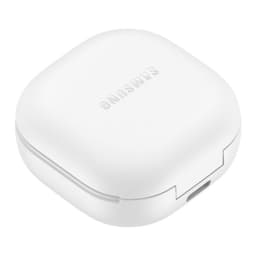
Lost your Samsung Galaxy Buds 2 Pro? EarBuddy detects their BLE signal in real-time — works even when SmartThings shows only last known location.
Samsung
Galaxy Buds FE
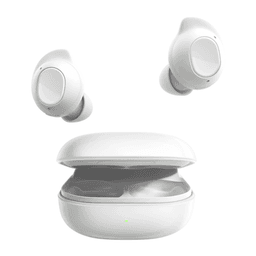
Lost your $99 Galaxy Buds FE? Don't need a Samsung phone to find them — EarBuddy scans for their Bluetooth signal from any device.
Samsung
Galaxy Buds Live
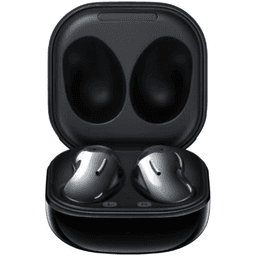
Lost your Samsung Galaxy Buds Live? Their bean shape makes them hard to spot. Use EarBuddy's Bluetooth scanner to track the signal and find them.