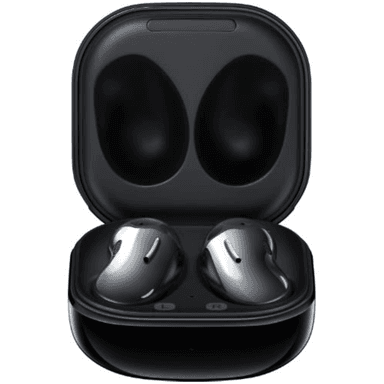
How to Find Your Lost Samsung Galaxy Buds Live in Minutes
The Galaxy Buds Live's iconic kidney-bean shape is unlike any other earbud on the market, which means they roll off flat surfaces, wedge into couch crevices, and are nearly impossible to spot visually once lodged in a gap. Their open-ear design with no silicone tips means they sit loosely and can fall out during sudden head movements without the wearer noticing. With BLE 5.0, EarBuddy can detect them at roughly 25–30 feet, but their small curved body can orient the antenna in suboptimal directions — moving slowly and scanning from multiple angles gives the best results.
Galaxy Buds Live Bluetooth Specs
Bluetooth Version
BLE 5.0
Detection Range
30 feet indoors
Battery Life
6 hours (21 with case)
Weight
5.6g per earbud
Water Resistance
IPX2
Audio Codecs
Samsung Scalable, AAC, SBC
Case Battery
21 hours
Price
$169
Release Year
2020
Why SmartThings Find Can't Find Your Galaxy Buds Live
Galaxy Buds Live support SmartThings Find on Samsung devices only. Their unique bean shape makes them easy to slip between cushions and hard to spot visually.
Step-by-Step: Find Your Samsung Galaxy Buds Live With EarBuddy
Your Galaxy Buds Live uses BLE 5.0, broadcasting at 2.4 GHz with a typical range of 30 feet indoors. With up to 6 hours (21 with case) of battery life, there's a good chance it's still transmitting. Here's how to track it down:
Open EarBuddy and begin scanning.
Galaxy Buds Live emit BLE signals detectable by EarBuddy.
Walk through rooms where you typically use them.
Monitor the signal strength — it spikes when you're close.
Their bean shape means they roll and hide easily — check under furniture and in crevices.
Ready to Find Your Galaxy Buds Live?
Download EarBuddy and start scanning in seconds. The Bluetooth radar works with all BLE devices — no pairing required.
Download EarBuddy to Find Your SamsungFrequently Asked Questions
Why are Galaxy Buds Live so easy to lose?
Can EarBuddy detect Galaxy Buds Live in the case?
Find Other Devices

Samsung
Galaxy Buds 3 Pro
Lost your Samsung Galaxy Buds 3 Pro? EarBuddy scans for their BLE signal on any phone — no Samsung account or Galaxy phone required.
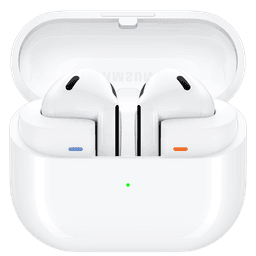
Samsung
Galaxy Buds 3
Lost your Samsung Galaxy Buds 3? Use EarBuddy to detect their Bluetooth signal from any phone — no Samsung Galaxy device required.
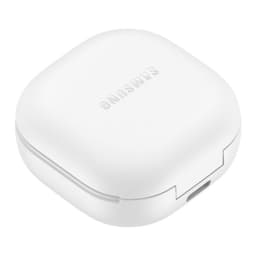
Samsung
Galaxy Buds 2 Pro
Lost your Samsung Galaxy Buds 2 Pro? EarBuddy detects their BLE signal in real-time — works even when SmartThings shows only last known location.
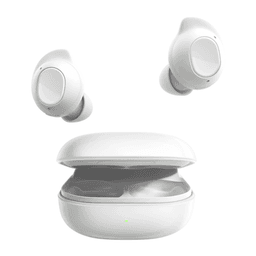
Samsung
Galaxy Buds FE
Lost your $99 Galaxy Buds FE? Don't need a Samsung phone to find them — EarBuddy scans for their Bluetooth signal from any device.