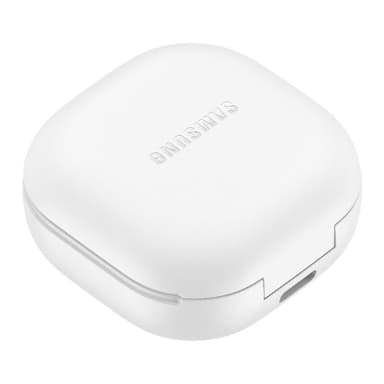
How to Find Your Lost Samsung Galaxy Buds 2 Pro in Minutes
The Galaxy Buds 2 Pro are Samsung's smallest earbuds at the time of release, with a 15% size reduction over the original Buds Pro — this compact form makes them especially easy to lose in gym bags, between car seats, and inside jacket pockets. They carry an IPX7 water resistance rating, meaning they can survive being submerged and will likely still emit BLE 5.3 signals even after falling into a puddle or being left out in rain. Their 18-hour total case battery is lower than most competitors, so time is more critical when searching with EarBuddy.
Galaxy Buds 2 Pro Bluetooth Specs
Bluetooth Version
BLE 5.3
Detection Range
30 feet indoors
Battery Life
5 hours (18 with case)
Weight
5.5g per earbud
Water Resistance
IPX7
Audio Codecs
Samsung Seamless, AAC, SBC
Case Battery
18 hours
Price
$229
Release Year
2022
Why SmartThings Find Can't Find Your Galaxy Buds 2 Pro
SmartThings Find can play a sound on the Buds 2 Pro, but only if they're connected to a Samsung device. If disconnected, it only shows last known location.
Step-by-Step: Find Your Samsung Galaxy Buds 2 Pro With EarBuddy
Your Galaxy Buds 2 Pro uses BLE 5.3, broadcasting at 2.4 GHz with a typical range of 30 feet indoors. With up to 5 hours (18 with case) of battery life, there's a good chance it's still transmitting. Here's how to track it down:
Open EarBuddy and tap Start Scanning.
Galaxy Buds 2 Pro broadcast BLE even when disconnected from your phone.
Walk through the area and monitor the signal meter.
The signal gets stronger as you approach the Buds.
Check around and under nearby objects once signal is at its peak.
Ready to Find Your Galaxy Buds 2 Pro?
Download EarBuddy and start scanning in seconds. The Bluetooth radar works with all BLE devices — no pairing required.
Download EarBuddy to Find Your SamsungFrequently Asked Questions
Can SmartThings play a sound on disconnected Galaxy Buds 2 Pro?
How long do Galaxy Buds 2 Pro broadcast Bluetooth?
Find Other Devices

Samsung
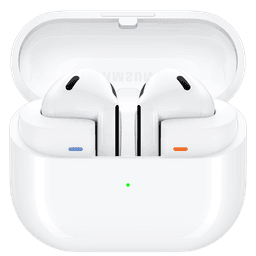
Galaxy Buds 3 Pro
Lost your Samsung Galaxy Buds 3 Pro? EarBuddy scans for their BLE signal on any phone — no Samsung account or Galaxy phone required.
Samsung
Galaxy Buds 3
Lost your Samsung Galaxy Buds 3? Use EarBuddy to detect their Bluetooth signal from any phone — no Samsung Galaxy device required.
Samsung
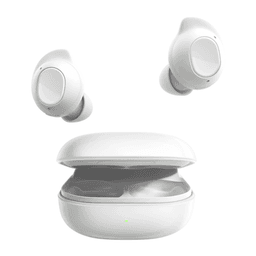
Galaxy Buds FE
Lost your $99 Galaxy Buds FE? Don't need a Samsung phone to find them — EarBuddy scans for their Bluetooth signal from any device.
Samsung
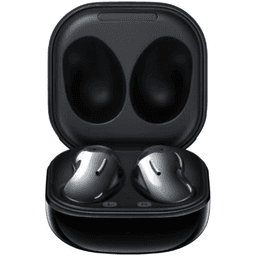
Galaxy Buds Live
Lost your Samsung Galaxy Buds Live? Their bean shape makes them hard to spot. Use EarBuddy's Bluetooth scanner to track the signal and find them.