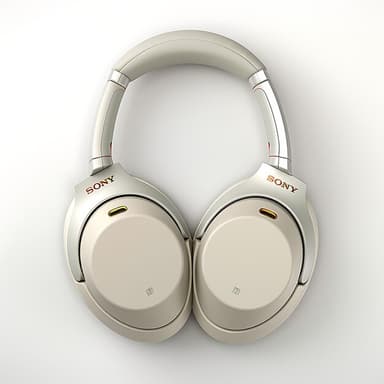
How to Find Your Lost Sony WF-1000XM4 in Minutes
The WF-1000XM4 introduced Sony's V1 integrated processor and were notably heavier at 7.3g per earbud than their XM5 successor, which makes them more likely to work loose from smaller ear canals during physical activity. A well-documented issue with the XM4's foam ear tips degrading over time can cause fit problems that lead to unexpected drops. EarBuddy picks up their BLE 5.2 signal at a consistent 30 feet, and because the XM4 case uses a distinctive rounded-square shape, it often gets mistaken for a small container and shoved into miscellaneous drawers.
WF-1000XM4 Bluetooth Specs
Bluetooth Version
BLE 5.2
Detection Range
30 feet indoors
Battery Life
8 hours (24 with case)
Weight
7.3g per earbud
Chipset
Sony V1
Water Resistance
IPX4
Audio Codecs
LDAC, AAC, SBC
Case Battery
24 hours
Price
$248
Release Year
2021
Why Headphones Connect Can't Find Your WF-1000XM4
Like its successor, the WF-1000XM4 can only be located through Sony's app when actively paired. There's no standalone find feature for disconnected earbuds.
Step-by-Step: Find Your Sony WF-1000XM4 With EarBuddy
Your WF-1000XM4 uses BLE 5.2, broadcasting at 2.4 GHz with a typical range of 30 feet indoors. With up to 8 hours (24 with case) of battery life, there's a good chance it's still transmitting. Here's how to track it down:
Open EarBuddy and start a scan.
Walk around the area where you last used your WF-1000XM4.
The BLE signal from the earbuds will appear on EarBuddy's radar.
Move toward stronger signal readings.
Search the area thoroughly when the signal is at maximum strength.
Ready to Find Your WF-1000XM4?
Download EarBuddy and start scanning in seconds. The Bluetooth radar works with all BLE devices — no pairing required.
Download EarBuddy to Find Your SonyFrequently Asked Questions
How long does the WF-1000XM4 battery last when lost?
Can I find one WF-1000XM4 earbud?
Find Other Devices

Sony
WF-1000XM5
Lost your $298 Sony WF-1000XM5 earbuds? Sony's app only works when connected. EarBuddy detects the passive BLE signal to help you find them.
Sony
LinkBuds S
Lost your Sony LinkBuds S? Sony has no find feature for these earbuds. EarBuddy's Bluetooth scanner detects their signal to guide you right to them.
Sony
WH-1000XM5
Lost your $398 Sony WH-1000XM5 headphones? EarBuddy detects their Bluetooth signal even when Sony's app can't connect. Find them before it's too late.

Apple
AirPods 4
Lost your Apple AirPods 4? Use EarBuddy's Bluetooth scanner to detect the BLE signal and track them down — even when Find My can't help.