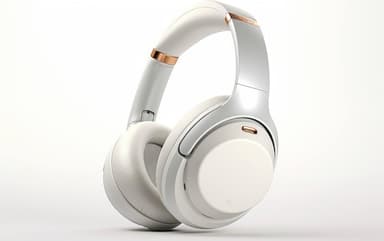
How to Find Your Lost Sony WH-1000XM5 in Minutes
The WH-1000XM5 broke from Sony's folding headphone tradition with a non-folding design, which means they take up more space and are more often left behind at coffee shops, coworking spaces, and airplane seats rather than packed into a bag. Their 30-hour battery and full-size antenna give them a notably stronger BLE 5.2 signal than any earbud — EarBuddy can frequently detect them at 40+ feet indoors. At $398, they're among the most expensive commonly-lost Bluetooth audio devices, and Sony provides absolutely zero tracking capability once the Bluetooth connection drops.
WH-1000XM5 Bluetooth Specs
Bluetooth Version
BLE 5.2
Detection Range
40 feet indoors
Battery Life
30 hours
Weight
250g
Chipset
Sony V1
Audio Codecs
LDAC, AAC, SBC
Price
$398
Release Year
2022
Why Headphones Connect Can't Find Your WH-1000XM5
Sony's Headphones Connect only works when the WH-1000XM5 are connected. Left them at a coffee shop or in a rideshare? The app can't help you.
Step-by-Step: Find Your Sony WH-1000XM5 With EarBuddy
Your WH-1000XM5 uses BLE 5.2, broadcasting at 2.4 GHz with a typical range of 40 feet indoors. With up to 30 hours of battery life, there's a good chance it's still transmitting. Here's how to track it down:
Open EarBuddy and start scanning.
WH-1000XM5 headphones emit a strong BLE signal due to their larger battery.
Walk through the area or building where you think you left them.
The signal meter will respond when you're within range.
WH-1000XM5 are over-ear headphones — check chairs, hooks, bags, and tables.
Ready to Find Your WH-1000XM5?
Download EarBuddy and start scanning in seconds. The Bluetooth radar works with all BLE devices — no pairing required.
Download EarBuddy to Find Your SonyFrequently Asked Questions
Can I find Sony WH-1000XM5 left at a café?
Do WH-1000XM5 emit Bluetooth when powered off?
Find Other Devices
Sony
WF-1000XM5
Lost your $298 Sony WF-1000XM5 earbuds? Sony's app only works when connected. EarBuddy detects the passive BLE signal to help you find them.
Sony
WF-1000XM4
Lost your Sony WF-1000XM4? Sony's app can't help when they're disconnected. Use EarBuddy to detect their Bluetooth signal in real-time.
Sony
LinkBuds S
Lost your Sony LinkBuds S? Sony has no find feature for these earbuds. EarBuddy's Bluetooth scanner detects their signal to guide you right to them.
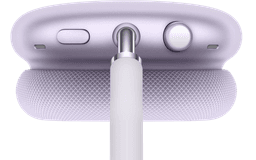
Apple
AirPods Max
Lost your $549 AirPods Max? EarBuddy detects their Bluetooth signal even in low-power Smart Case mode. Find them before someone else does.