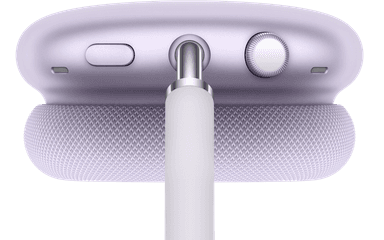
How to Find Your Lost Apple AirPods Max in Minutes
At 384 grams, the AirPods Max are Apple's heaviest audio product and the only over-ear headphones in their lineup, which paradoxically makes them both harder to misplace and easier to forget at a specific location like a plane seat or hotel room. Their H1 chip continues emitting BLE 5.0 even in Smart Case low-power mode, though the signal weakens noticeably compared to when they're active. EarBuddy can still detect the AirPods Max in low-power mode from approximately 15–20 feet, making it a critical backup for a $549 device that Apple's Find My network may take hours to update.
AirPods Max Bluetooth Specs
Bluetooth Version
BLE 5.0
Detection Range
30 feet indoors
Battery Life
20 hours
Weight
384.8g
Chipset
Apple H1
Audio Codecs
AAC, SBC
Price
$549
Release Year
2020
Why Find My Can't Find Your AirPods Max
AirPods Max show up in Find My, but they enter a low-power mode (not off) when placed in the Smart Case. In this state, the Find My signal may be weak or delayed.
Step-by-Step: Find Your Apple AirPods Max With EarBuddy
Your AirPods Max uses BLE 5.0, broadcasting at 2.4 GHz with a typical range of 30 feet indoors. With up to 20 hours of battery life, there's a good chance it's still transmitting. Here's how to track it down:
Open EarBuddy and begin scanning.
AirPods Max emit a BLE signal even in the Smart Case's low-power mode.
Walk through likely areas — your office, car, gym locker.
The signal strength will increase sharply when you're close.
AirPods Max are large, so once you're in the right area, they're easier to spot.
Ready to Find Your AirPods Max?
Download EarBuddy and start scanning in seconds. The Bluetooth radar works with all BLE devices — no pairing required.
Download EarBuddy to Find Your AppleFrequently Asked Questions
Can I find AirPods Max if they're in the Smart Case?
How long do AirPods Max emit a signal when lost?
Find Other Devices

Apple
AirPods 4
Lost your Apple AirPods 4? Use EarBuddy's Bluetooth scanner to detect the BLE signal and track them down — even when Find My can't help.

Apple
AirPods 3rd Generation
Lost your AirPods 3? EarBuddy's Bluetooth radar detects the BLE signal from your AirPods 3rd Generation even when they're disconnected from your iPhone.
Apple
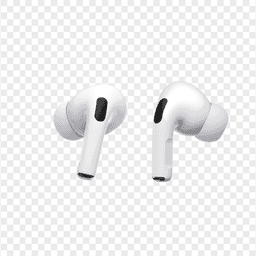
AirPods Pro 2
Lost your $249 AirPods Pro 2? Use EarBuddy to scan for their Bluetooth signal in real-time — works even without Precision Finding or U1 chip.
Apple
AirPods 2nd Generation
Lost your AirPods 2nd Generation? They lack Precision Finding — use EarBuddy's real-time Bluetooth scanner to track the signal and find them.