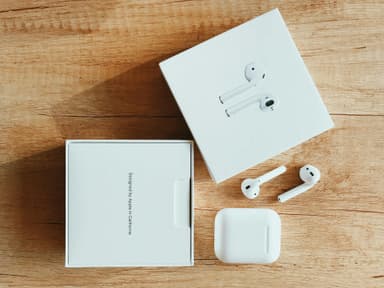
How to Find Your Lost Apple AirPods 4 in Minutes
The AirPods 4 introduced an open-ear design without silicone tips, making them more prone to slipping out during walks or commutes. Their H2 chip broadcasts a stronger BLE 5.3 signal than previous generations, which means EarBuddy can detect them from slightly farther away — typically up to 35 feet indoors. Because the standard AirPods 4 lack the U1 chip found in the AirPods Pro 2, precision finding through Find My is not available, making a BLE scanner like EarBuddy especially valuable.
AirPods 4 Bluetooth Specs
Bluetooth Version
BLE 5.3
Detection Range
30 feet indoors
Battery Life
5 hours (30 with case)
Weight
4.3g per earbud
Chipset
Apple H2
Water Resistance
IP54
Audio Codecs
AAC, SBC
Case Battery
30 hours
Price
$129
Release Year
2024
Why Find My Can't Find Your AirPods 4
Find My can show the last known location, but if your AirPods 4 are offline or out of Bluetooth range of any Apple device, it cannot actively guide you to them.
Step-by-Step: Find Your Apple AirPods 4 With EarBuddy
Your AirPods 4 uses BLE 5.3, broadcasting at 2.4 GHz with a typical range of 30 feet indoors. With up to 5 hours (30 with case) of battery life, there's a good chance it's still transmitting. Here's how to track it down:
Open EarBuddy and tap Start Scanning.
Walk slowly around the area where you last had your AirPods 4.
Watch the signal strength indicator — it increases as you get closer.
When the signal peaks, your AirPods 4 are within a few feet.
Check under cushions, in pockets, or between seat gaps.
Ready to Find Your AirPods 4?
Download EarBuddy and start scanning in seconds. The Bluetooth radar works with all BLE devices — no pairing required.
Download EarBuddy to Find Your AppleFrequently Asked Questions
Can I find my AirPods 4 if they are dead?
Does EarBuddy work better than Find My for AirPods 4?
Find Other Devices

Apple
AirPods 3rd Generation
Lost your AirPods 3? EarBuddy's Bluetooth radar detects the BLE signal from your AirPods 3rd Generation even when they're disconnected from your iPhone.

Apple
AirPods Pro 2
Lost your $249 AirPods Pro 2? Use EarBuddy to scan for their Bluetooth signal in real-time — works even without Precision Finding or U1 chip.
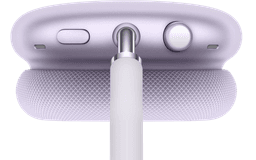
Apple
AirPods Max
Lost your $549 AirPods Max? EarBuddy detects their Bluetooth signal even in low-power Smart Case mode. Find them before someone else does.
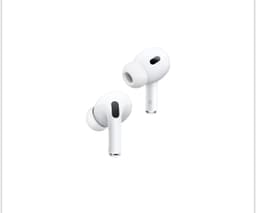
Apple
AirPods 2nd Generation
Lost your AirPods 2nd Generation? They lack Precision Finding — use EarBuddy's real-time Bluetooth scanner to track the signal and find them.