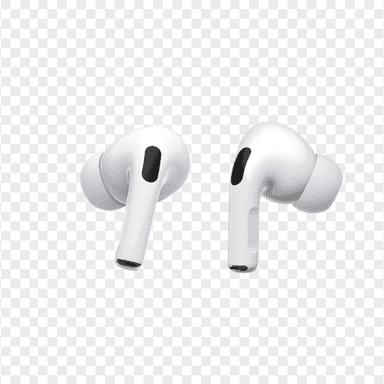
How to Find Your Lost Apple AirPods Pro 2 in Minutes
The AirPods Pro 2 are one of the few earbuds with both a U1 Ultra Wideband chip and a built-in case speaker, but Precision Finding requires an iPhone 11 or newer and fails completely beyond UWB range. Their silicone tips provide a snug fit that reduces accidental drops, yet the small case is frequently left behind at coffee shops and airport lounges. EarBuddy can pick up their BLE 5.3 signal at about 30 feet even when the U1 chip is out of range, bridging the gap that Find My leaves open.
AirPods Pro 2 Bluetooth Specs
Bluetooth Version
BLE 5.3
Detection Range
30 feet indoors
Battery Life
6 hours (30 with case)
Weight
5.3g per earbud
Chipset
Apple H2
Water Resistance
IP54
Audio Codecs
AAC, SBC
Case Battery
30 hours
Price
$249
Release Year
2023
Why Find My Can't Find Your AirPods Pro 2
AirPods Pro 2 support Precision Finding with U1 chip, but only on iPhone 11 or later. If you have an older iPhone or the AirPods are out of Ultra Wideband range, you need an alternative.
Step-by-Step: Find Your Apple AirPods Pro 2 With EarBuddy
Your AirPods Pro 2 uses BLE 5.3, broadcasting at 2.4 GHz with a typical range of 30 feet indoors. With up to 6 hours (30 with case) of battery life, there's a good chance it's still transmitting. Here's how to track it down:
Open EarBuddy and start a scan.
The app will detect the Bluetooth Low Energy advertisement from your AirPods Pro 2.
Walk toward areas with stronger signal readings.
The signal will peak when you're directly next to the AirPods or their case.
Use the proximity indicator for the final few feet.
Ready to Find Your AirPods Pro 2?
Download EarBuddy and start scanning in seconds. The Bluetooth radar works with all BLE devices — no pairing required.
Download EarBuddy to Find Your AppleFrequently Asked Questions
Do AirPods Pro 2 have a built-in speaker for finding them?
Can I find just one lost AirPod Pro 2?
Find Other Devices

Apple
AirPods 4
Lost your Apple AirPods 4? Use EarBuddy's Bluetooth scanner to detect the BLE signal and track them down — even when Find My can't help.

Apple
AirPods 3rd Generation
Lost your AirPods 3? EarBuddy's Bluetooth radar detects the BLE signal from your AirPods 3rd Generation even when they're disconnected from your iPhone.
Apple
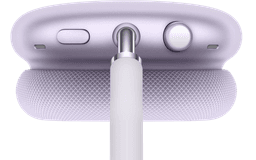
AirPods Max
Lost your $549 AirPods Max? EarBuddy detects their Bluetooth signal even in low-power Smart Case mode. Find them before someone else does.
Apple
AirPods 2nd Generation
Lost your AirPods 2nd Generation? They lack Precision Finding — use EarBuddy's real-time Bluetooth scanner to track the signal and find them.