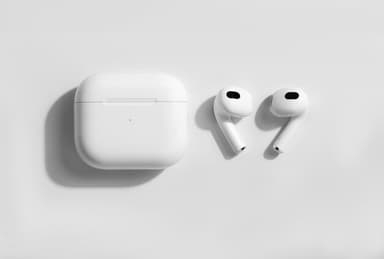
How to Find Your Lost Apple AirPods 3rd Generation in Minutes
The AirPods 3rd Generation were Apple's first open-ear model with spatial audio and a contoured design that fits loosely, making them easy to drop while jogging or reclining. They use the H1 chip with BLE 5.0, giving them a reliable detection range of about 30 feet indoors through EarBuddy. Unlike the AirPods Pro line, the 3rd generation has no silicone ear tips to anchor them in place, which is why they rank among the most commonly searched-for lost earbuds on Apple support forums.
AirPods 3rd Generation Bluetooth Specs
Bluetooth Version
BLE 5.0
Detection Range
30 feet indoors
Battery Life
6 hours (30 with case)
Weight
4.28g per earbud
Chipset
Apple H1
Water Resistance
IPX4
Audio Codecs
AAC, SBC
Case Battery
30 hours
Price
$169
Release Year
2021
Why Find My Can't Find Your AirPods 3rd Generation
Find My shows the last location where your AirPods 3 were connected to an Apple device, but cannot provide real-time tracking if they're disconnected.
Step-by-Step: Find Your Apple AirPods 3rd Generation With EarBuddy
Your AirPods 3rd Generation uses BLE 5.0, broadcasting at 2.4 GHz with a typical range of 30 feet indoors. With up to 6 hours (30 with case) of battery life, there's a good chance it's still transmitting. Here's how to track it down:
Open EarBuddy and tap Start Scanning.
Move through the area where you last used your AirPods 3.
The signal meter will respond when you're within Bluetooth range (~30 feet).
Follow the increasing signal strength to narrow down the location.
Check common spots: couch cushions, jacket pockets, desk drawers.
Ready to Find Your AirPods 3rd Generation?
Download EarBuddy and start scanning in seconds. The Bluetooth radar works with all BLE devices — no pairing required.
Download EarBuddy to Find Your AppleFrequently Asked Questions
Can EarBuddy find AirPods 3 in the charging case?
How far can EarBuddy detect AirPods 3?
Find Other Devices

Apple
AirPods 4
Lost your Apple AirPods 4? Use EarBuddy's Bluetooth scanner to detect the BLE signal and track them down — even when Find My can't help.
Apple
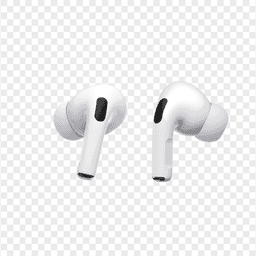
AirPods Pro 2
Lost your $249 AirPods Pro 2? Use EarBuddy to scan for their Bluetooth signal in real-time — works even without Precision Finding or U1 chip.
Apple
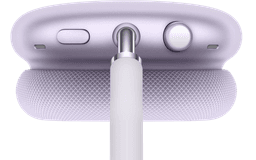
AirPods Max
Lost your $549 AirPods Max? EarBuddy detects their Bluetooth signal even in low-power Smart Case mode. Find them before someone else does.
Apple
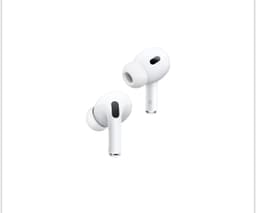
AirPods 2nd Generation
Lost your AirPods 2nd Generation? They lack Precision Finding — use EarBuddy's real-time Bluetooth scanner to track the signal and find them.