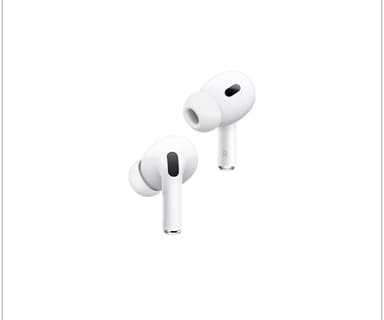
How to Find Your Lost Apple AirPods 2nd Generation in Minutes
The AirPods 2nd Generation remain one of the most widely sold wireless earbuds in history, which means they're also among the most frequently lost. They lack any water resistance rating and have no U1 chip, leaving users with only a last-known-location pin on Find My. Their H1 chip broadcasts on BLE 5.0 with a consistent 25–30 foot indoor range, and because millions of these are still in daily use, EarBuddy sees more scan requests for AirPods 2 than nearly any other device.
AirPods 2nd Generation Bluetooth Specs
Bluetooth Version
BLE 5.0
Detection Range
30 feet indoors
Battery Life
5 hours (24 with case)
Weight
4.0g per earbud
Chipset
Apple H1
Audio Codecs
AAC, SBC
Case Battery
24 hours
Price
$129
Release Year
2019
Why Find My Can't Find Your AirPods 2nd Generation
AirPods 2 are supported by Find My but lack the U1 chip — no Precision Finding. You only get a map-level last known location, not step-by-step guidance.
Step-by-Step: Find Your Apple AirPods 2nd Generation With EarBuddy
Your AirPods 2nd Generation uses BLE 5.0, broadcasting at 2.4 GHz with a typical range of 30 feet indoors. With up to 5 hours (24 with case) of battery life, there's a good chance it's still transmitting. Here's how to track it down:
Open EarBuddy and tap Start Scanning.
Walk around the last known area of your AirPods 2.
EarBuddy will pick up the BLE signal and display signal strength.
Move toward stronger signal readings.
When signal peaks, search the immediate area carefully.
Ready to Find Your AirPods 2nd Generation?
Download EarBuddy and start scanning in seconds. The Bluetooth radar works with all BLE devices — no pairing required.
Download EarBuddy to Find Your AppleFrequently Asked Questions
Why can't I use Precision Finding on my AirPods 2nd Generation?
Are AirPods 2 still detectable via Bluetooth?
Find Other Devices

Apple
AirPods 4
Lost your Apple AirPods 4? Use EarBuddy's Bluetooth scanner to detect the BLE signal and track them down — even when Find My can't help.

Apple
AirPods 3rd Generation
Lost your AirPods 3? EarBuddy's Bluetooth radar detects the BLE signal from your AirPods 3rd Generation even when they're disconnected from your iPhone.
Apple
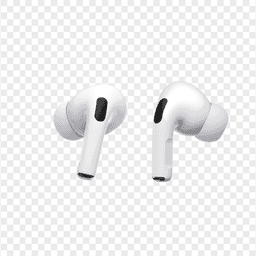
AirPods Pro 2
Lost your $249 AirPods Pro 2? Use EarBuddy to scan for their Bluetooth signal in real-time — works even without Precision Finding or U1 chip.
Apple
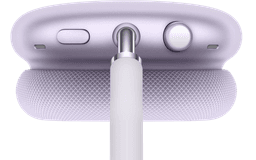
AirPods Max
Lost your $549 AirPods Max? EarBuddy detects their Bluetooth signal even in low-power Smart Case mode. Find them before someone else does.