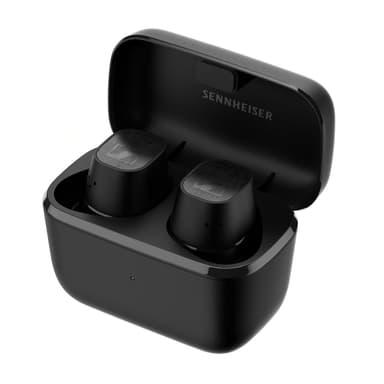
How to Find Your Lost Sennheiser CX Plus True Wireless in Minutes
The CX Plus True Wireless are Sennheiser's mid-range earbuds built on the Qualcomm QCC5124 chip, which provides a stable BLE 5.2 signal that EarBuddy detects at a consistent 30 feet — though the signal is slightly weaker than the newer Momentum TW 4. Their flat, puck-like case shape is nondescript and often gets swept into drawers or covered by papers on cluttered desks. These earbuds are particularly popular among audio enthusiasts who use them for commuting, making train seats, airport lounges, and ride-share vehicles the most common loss locations — all places where EarBuddy's real-time scanning is more practical than retracing steps.
CX Plus True Wireless Bluetooth Specs
Bluetooth Version
BLE 5.2
Detection Range
30 feet indoors
Battery Life
8 hours (24 with case)
Weight
6.0g per earbud
Chipset
Qualcomm QCC5124
Water Resistance
IPX4
Audio Codecs
aptX, AAC, SBC
Case Battery
24 hours
Price
$179
Release Year
2021
Why Smart Control Can't Find Your CX Plus True Wireless
Like all Sennheiser products, the CX Plus has no find feature in the Smart Control app. There's no ring, no map, and no tracking.
Step-by-Step: Find Your Sennheiser CX Plus True Wireless With EarBuddy
Your CX Plus True Wireless uses BLE 5.2, broadcasting at 2.4 GHz with a typical range of 30 feet indoors. With up to 8 hours (24 with case) of battery life, there's a good chance it's still transmitting. Here's how to track it down:
Open EarBuddy and start scanning.
CX Plus broadcast BLE signals that EarBuddy can detect.
Walk slowly through the last known area.
Follow the signal strength on EarBuddy's radar.
Search around desks, bags, and shelves when signal peaks.
Ready to Find Your CX Plus True Wireless?
Download EarBuddy and start scanning in seconds. The Bluetooth radar works with all BLE devices — no pairing required.
Download EarBuddy to Find Your SennheiserFrequently Asked Questions
Can I find Sennheiser CX Plus with any official app?
Do Sennheiser CX Plus emit Bluetooth when in the case?
Find Other Devices
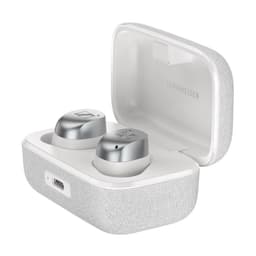
Sennheiser
Momentum True Wireless 4
Lost your $299 Sennheiser Momentum True Wireless 4? Sennheiser has no find feature. Use EarBuddy to detect their BLE 5.4 signal and find them.

Apple
AirPods 4
Lost your Apple AirPods 4? Use EarBuddy's Bluetooth scanner to detect the BLE signal and track them down — even when Find My can't help.

Apple
AirPods 3rd Generation
Lost your AirPods 3? EarBuddy's Bluetooth radar detects the BLE signal from your AirPods 3rd Generation even when they're disconnected from your iPhone.

Apple
AirPods Pro 2
Lost your $249 AirPods Pro 2? Use EarBuddy to scan for their Bluetooth signal in real-time — works even without Precision Finding or U1 chip.