
How to Find Your Lost Garmin Fenix 8 in Minutes
The Garmin Fenix 8 is the ultimate adventure watch with a 29-day battery life in smartwatch mode, meaning its BLE 5.2 signal will broadcast for nearly a month after being lost — the longest of any device EarBuddy can detect. At 87g and $899, it's most commonly lost during outdoor activities like trail running, mountain biking, and backcountry hiking, where the last synced GPS point in Garmin Connect could be miles from the actual drop location. EarBuddy can detect it at 33 feet indoors and even farther in open terrain, making it the only practical tool for retracing a trail segment to find this high-value timepiece.
Fenix 8 Bluetooth Specs
Bluetooth Version
BLE 5.2
Detection Range
33 feet indoors
Battery Life
29 days smartwatch, 48 hours GPS
Weight
87g (47mm)
Water Resistance
10 ATM
Price
$899
Release Year
2024
Why Garmin Connect Can't Find Your Fenix 8
At $899, the Fenix 8 is one of the most expensive watches you can lose on a trail. Garmin Connect's last sync location is often miles from where you actually dropped it.
Step-by-Step: Find Your Garmin Fenix 8 With EarBuddy
Your Fenix 8 uses BLE 5.2, broadcasting at 2.4 GHz with a typical range of 33 feet indoors. With up to 29 days smartwatch, 48 hours GPS of battery life, there's a good chance it's still transmitting. Here's how to track it down:
Check Garmin Connect for the last synced GPS point.
Return to that area and open EarBuddy.
The Fenix 8 has a powerful BLE radio — scan while retracing your route.
Watch for signal spikes as you walk the trail.
Check trail edges, rocks, and rest spots where you may have removed it.
Ready to Find Your Fenix 8?
Download EarBuddy and start scanning in seconds. The Bluetooth radar works with all BLE devices — no pairing required.
Download EarBuddy to Find Your GarminFrequently Asked Questions
Can I find a Garmin Fenix 8 lost on a trail?
How long does the Garmin Fenix 8 battery last?
Find Other Devices
Garmin
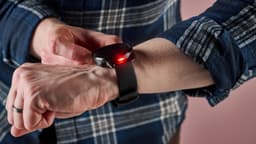
Venu 4
Lost your $449 Garmin Venu 4? Garmin Connect only shows last sync location. Use EarBuddy for real-time Bluetooth scanning to find it.
Garmin
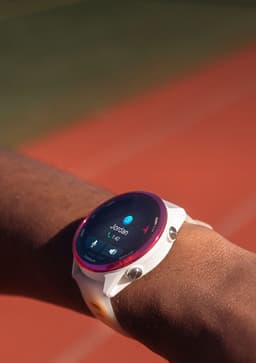
Forerunner 570
Lost your Garmin Forerunner 570 at the gym or track? Garmin has no find feature. Use EarBuddy's Bluetooth scanner to locate it fast.
Garmin
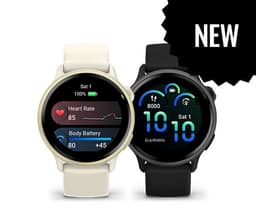
Vivoactive 6
Lost your Garmin Vivoactive 6? No find feature in Garmin Connect. Use EarBuddy to scan for the Bluetooth signal and track it down.
Apple
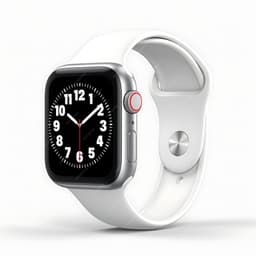
Apple Watch Series 11
Lost your $399 Apple Watch Series 11? EarBuddy detects its Bluetooth signal even when Find My can't connect. Track it down with real-time BLE scanning.