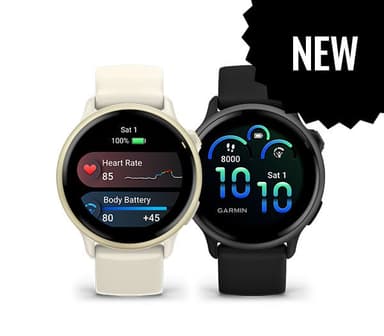
How to Find Your Lost Garmin Vivoactive 6 in Minutes
The Vivoactive 6 bridges lifestyle and fitness tracking with an 11-day battery, making it Garmin's most versatile everyday watch — and also the one most likely to be removed at various points throughout the day for charging, cooking, and sleeping. Its 46g weight is light enough that users sometimes don't notice when it slips off a wrist still damp from hand-washing, a common scenario that leaves it sitting on bathroom counters and kitchen sinks. EarBuddy can detect its BLE 5.2 signal at a consistent 30 feet, and the 11-day battery gives you an extended window to notice it's missing and scan before the signal dies.
Vivoactive 6 Bluetooth Specs
Bluetooth Version
BLE 5.2
Detection Range
30 feet indoors
Battery Life
11 days smartwatch, 21 hours GPS
Weight
46g
Water Resistance
5 ATM
Price
$299
Release Year
2025
Why Garmin Connect Can't Find Your Vivoactive 6
The Vivoactive 6 connects via Bluetooth for syncing but Garmin provides no way to locate or ring it remotely. Last sync location in Garmin Connect is your only clue.
Step-by-Step: Find Your Garmin Vivoactive 6 With EarBuddy
Your Vivoactive 6 uses BLE 5.2, broadcasting at 2.4 GHz with a typical range of 30 feet indoors. With up to 11 days smartwatch, 21 hours GPS of battery life, there's a good chance it's still transmitting. Here's how to track it down:
Open EarBuddy and begin scanning.
Walk around the area where you last wore the Vivoactive 6.
The BLE signal is strong and consistent from Garmin devices.
Follow the increasing signal strength.
Check common spots: nightstands, bathroom counters, gym lockers.
Ready to Find Your Vivoactive 6?
Download EarBuddy and start scanning in seconds. The Bluetooth radar works with all BLE devices — no pairing required.
Download EarBuddy to Find Your GarminFrequently Asked Questions
Can I ring my Garmin Vivoactive 6 remotely?
How far can EarBuddy detect a Garmin watch?
Find Other Devices
Garmin
Venu 4
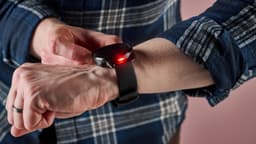
Lost your $449 Garmin Venu 4? Garmin Connect only shows last sync location. Use EarBuddy for real-time Bluetooth scanning to find it.

Garmin
Fenix 8
Lost your $899 Garmin Fenix 8 on a hike? Garmin Connect can't scan for it. Use EarBuddy's Bluetooth radar to detect the signal and recover it.
Garmin
Forerunner 570
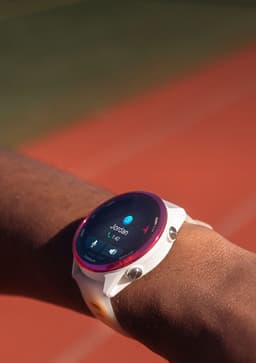
Lost your Garmin Forerunner 570 at the gym or track? Garmin has no find feature. Use EarBuddy's Bluetooth scanner to locate it fast.
Apple
Apple Watch Series 11
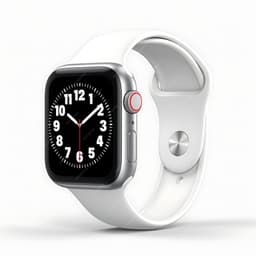
Lost your $399 Apple Watch Series 11? EarBuddy detects its Bluetooth signal even when Find My can't connect. Track it down with real-time BLE scanning.