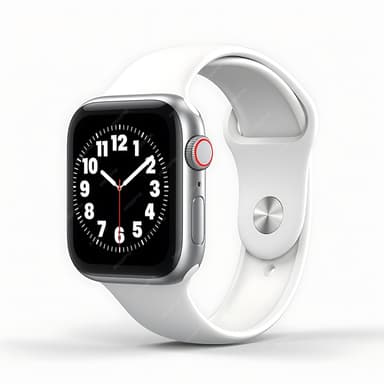
How to Find Your Lost Apple Apple Watch Series 11 in Minutes
The Apple Watch Series 11 features the latest S11 chip with an always-on BLE 5.3 radio, giving it one of the strongest wrist-worn BLE signals EarBuddy can detect — typically at 33 feet indoors, even through a jacket pocket or gym bag. Unlike earbuds, watches are most commonly lost at specific removal points: bathroom counters, gym locker shelves, and hotel room nightstands where users take them off to shower or charge. The Series 11's 50-meter water resistance means it will survive being left by a pool or caught in rain, continuing to broadcast for EarBuddy to find.
Apple Watch Series 11 Bluetooth Specs
Bluetooth Version
BLE 5.3
Detection Range
33 feet indoors
Battery Life
18 hours (36 in low power mode)
Weight
38.7g (41mm)
Chipset
Apple S11
Water Resistance
WR50 (50 meters)
Price
$399
Release Year
2025
Why Find My Can't Find Your Apple Watch Series 11
Find My can locate your Apple Watch when it has a Wi-Fi or cellular connection. But if the battery is low or it's in airplane mode, Find My only shows the last known location — not real-time guidance.
Step-by-Step: Find Your Apple Apple Watch Series 11 With EarBuddy
Your Apple Watch Series 11 uses BLE 5.3, broadcasting at 2.4 GHz with a typical range of 33 feet indoors. With up to 18 hours (36 in low power mode) of battery life, there's a good chance it's still transmitting. Here's how to track it down:
Open EarBuddy and tap Start Scanning.
Apple Watch emits a strong BLE signal due to its always-on Bluetooth.
Walk through the area where you last wore or placed it.
The signal meter will spike when you're close.
Check nightstands, bathroom counters, gym lockers, and chargers.
Ready to Find Your Apple Watch Series 11?
Download EarBuddy and start scanning in seconds. The Bluetooth radar works with all BLE devices — no pairing required.
Download EarBuddy to Find Your AppleFrequently Asked Questions
Can I find my Apple Watch if it's in airplane mode?
Does EarBuddy work better than Find My for Apple Watch?
Find Other Devices

Apple
AirPods 4
Lost your Apple AirPods 4? Use EarBuddy's Bluetooth scanner to detect the BLE signal and track them down — even when Find My can't help.

Apple
AirPods 3rd Generation
Lost your AirPods 3? EarBuddy's Bluetooth radar detects the BLE signal from your AirPods 3rd Generation even when they're disconnected from your iPhone.
Apple
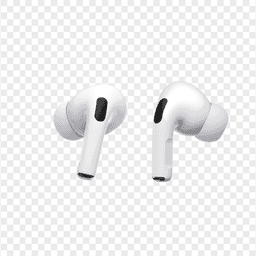
AirPods Pro 2
Lost your $249 AirPods Pro 2? Use EarBuddy to scan for their Bluetooth signal in real-time — works even without Precision Finding or U1 chip.
Apple
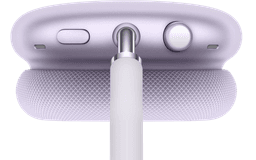
AirPods Max
Lost your $549 AirPods Max? EarBuddy detects their Bluetooth signal even in low-power Smart Case mode. Find them before someone else does.