Can You Find Bluetooth Earbuds When They're Dead?
The short answer: not with Bluetooth. But there are still ways to recover dead earbuds. Here's what works, what doesn't, and how to maximize your chances.
You've torn apart the couch, checked every pocket, and retraced your steps. Your earbuds are gone — and the battery is dead. The first thing most people do is open their phone's find-my app, only to see a grayed-out icon and a "last seen" timestamp from hours ago. So can you actually find dead earbuds?
Why Dead Earbuds Can't Be Found via Bluetooth
Bluetooth Low Energy (BLE) requires power. When your earbuds' battery hits zero, the Bluetooth radio stops transmitting. No signal means no app — not Find My, not SmartThings, not EarBuddy — can detect them wirelessly. This is a hard physics limitation, not a software one.
What Still Works When the Battery Is Dead
Even without Bluetooth, you have options:
- Check "Last Known Location" — Apps like Find My (Apple), Find My Device (Google), and SmartThings (Samsung) log the last GPS coordinates where your phone was connected to the earbuds. Start your search there.
- Retrace your steps systematically — Think about the last time you definitely had them. Work forward from that moment through every location you visited.
- Check the charging case — Many people lose individual earbuds but still have the case. If the case has battery, EarBuddy can detect the case's BLE signal, which helps you narrow down the area.
- Search common black holes — Couch cushion gaps, car seat rails, gym bag side pockets, jacket inner pockets, and nightstand drawers are where 80% of lost earbuds end up.
How to Prevent This in the Future
The best strategy is to find them before they die:
- Search immediately — The moment you realize they're missing, scan with EarBuddy. Every hour that passes drains more battery.
- Keep the case charged — Even if one earbud dies, a charged case often still emits BLE, giving EarBuddy something to detect.
- Enable background tracking — EarBuddy can run in the background and drop a map pin when your earbuds disconnect, so you always know the last location.
- Develop a storage routine — Always put earbuds back in the case, always put the case in the same spot. Routine prevents loss.
The key takeaway: time is your enemy. A lost earbud with 5% battery is findable. A dead one is not. The faster you scan with EarBuddy after losing them, the higher your chances of recovery.
Download EarBuddy now so you're ready the next time something goes missing. The scanner starts in seconds.
Download EarBuddy — Free Bluetooth ScannerRelated Devices
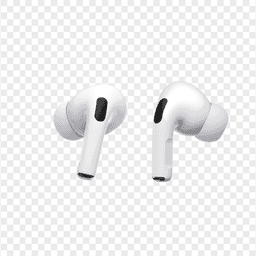
Apple
AirPods Pro 2
Lost your $249 AirPods Pro 2? Use EarBuddy to scan for their Bluetooth signal in real-time — works even without Precision Finding or U1 chip.

Samsung
Galaxy Buds 3 Pro
Lost your Samsung Galaxy Buds 3 Pro? EarBuddy scans for their BLE signal on any phone — no Samsung account or Galaxy phone required.

Sony
WF-1000XM5
Lost your $298 Sony WF-1000XM5 earbuds? Sony's app only works when connected. EarBuddy detects the passive BLE signal to help you find them.
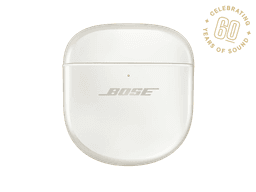
Bose
QuietComfort Ultra Earbuds
Lost your $299 Bose QuietComfort Ultra Earbuds? The Bose app only helps when connected. EarBuddy scans for the BLE signal to find them anywhere.