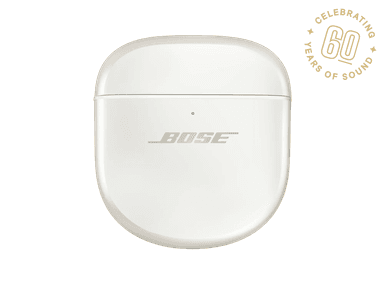
How to Find Your Lost Bose QuietComfort Ultra Earbuds in Minutes
The QuietComfort Ultra Earbuds are Bose's first to feature Immersive Audio with head tracking, but that premium tech comes with a bulkier 6.24g per earbud body that extends slightly from the ear canal — making them more susceptible to being knocked out by hats, scarves, or headbands. Their aptX Adaptive codec support sets them apart from Apple and Samsung competitors but does nothing for findability once lost. EarBuddy leverages their BLE 5.3 signal, which broadcasts consistently at 30 feet, and their distinctive metallic case finish can help with visual identification once you've narrowed the area.
QuietComfort Ultra Earbuds Bluetooth Specs
Bluetooth Version
BLE 5.3
Detection Range
30 feet indoors
Battery Life
6 hours (24 with case)
Weight
6.24g per earbud
Water Resistance
IPX4
Audio Codecs
aptX Adaptive, AAC, SBC
Case Battery
24 hours
Price
$299
Release Year
2023
Why Bose Music Can't Find Your QuietComfort Ultra Earbuds
The Bose Music app can play a sound on the QC Ultra Earbuds, but only when they're connected. There's no map-based tracking or offline finding capability.
Step-by-Step: Find Your Bose QuietComfort Ultra Earbuds With EarBuddy
Your QuietComfort Ultra Earbuds uses BLE 5.3, broadcasting at 2.4 GHz with a typical range of 30 feet indoors. With up to 6 hours (24 with case) of battery life, there's a good chance it's still transmitting. Here's how to track it down:
Open EarBuddy and tap Start Scanning.
Bose QC Ultra Earbuds emit a BLE signal that EarBuddy picks up passively.
Walk around the area you suspect they're in.
The signal strength increases as you get closer to the earbuds.
Check bags, pockets, and surfaces near where the signal is strongest.
Ready to Find Your QuietComfort Ultra Earbuds?
Download EarBuddy and start scanning in seconds. The Bluetooth radar works with all BLE devices — no pairing required.
Download EarBuddy to Find Your BoseFrequently Asked Questions
Does the Bose app have a find my earbuds feature?
Can EarBuddy find Bose QC Ultra Earbuds in the case?
Find Other Devices
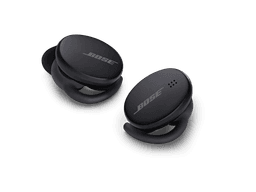
Bose
Sport Earbuds
Lost your Bose Sport Earbuds at the gym? The Bose app can't find disconnected earbuds. Use EarBuddy's Bluetooth scanner to track them down.
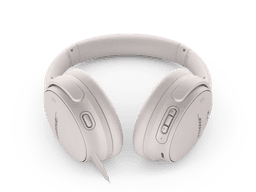
Bose
QuietComfort 45
Lost your $329 Bose QuietComfort 45 headphones? No built-in find feature. Use EarBuddy to detect their strong Bluetooth signal and track them down.
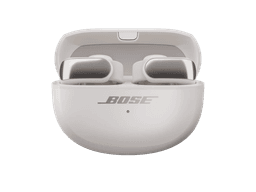
Bose
Ultra Open Earbuds
Lost your $299 Bose Ultra Open Earbuds? Their clip design means they can fall off unnoticed. Use EarBuddy to scan for the Bluetooth signal.

Apple
AirPods 4
Lost your Apple AirPods 4? Use EarBuddy's Bluetooth scanner to detect the BLE signal and track them down — even when Find My can't help.