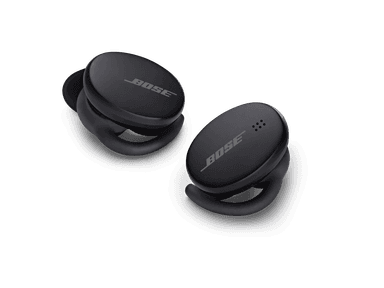
How to Find Your Lost Bose Sport Earbuds in Minutes
The Bose Sport Earbuds were purpose-built for workouts with a StayHear Max tip design, but their IPX4 rating means they can survive sweat — not a downpour — and if dropped on a wet gym floor or running trail, corrosion could eventually kill the BLE signal. At 6.75g per earbud, they're among the heavier sport earbuds, which paradoxically makes them more likely to fall out during high-impact activities like running or box jumps. Their BLE 5.1 signal is detectable by EarBuddy at about 30 feet, and the compact case holds only 15 hours of total charge — the shortest in Bose's lineup — making fast retrieval critical.
Sport Earbuds Bluetooth Specs
Bluetooth Version
BLE 5.1
Detection Range
30 feet indoors
Battery Life
5 hours (15 with case)
Weight
6.75g per earbud
Water Resistance
IPX4
Audio Codecs
AAC, SBC
Case Battery
15 hours
Price
$179
Release Year
2020
Why Bose Music Can't Find Your Sport Earbuds
Bose Sport Earbuds have no dedicated find feature in the Bose Music app. The only option is to play a sound — which requires an active connection.
Step-by-Step: Find Your Bose Sport Earbuds With EarBuddy
Your Sport Earbuds uses BLE 5.1, broadcasting at 2.4 GHz with a typical range of 30 feet indoors. With up to 5 hours (15 with case) of battery life, there's a good chance it's still transmitting. Here's how to track it down:
Open EarBuddy and start scanning.
The Sport Earbuds broadcast BLE even when not connected.
Search around gym bags, lockers, and workout areas.
Follow the signal strength indicator in EarBuddy.
When signal peaks, search the immediate area — check inside bags and shoe compartments.
Ready to Find Your Sport Earbuds?
Download EarBuddy and start scanning in seconds. The Bluetooth radar works with all BLE devices — no pairing required.
Download EarBuddy to Find Your BoseFrequently Asked Questions
I lost my Bose Sport Earbuds at the gym. Can EarBuddy help?
Are Bose Sport Earbuds waterproof enough to survive being lost outside?
Find Other Devices
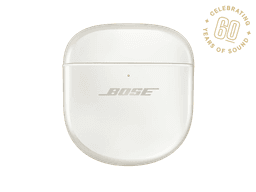
Bose
QuietComfort Ultra Earbuds
Lost your $299 Bose QuietComfort Ultra Earbuds? The Bose app only helps when connected. EarBuddy scans for the BLE signal to find them anywhere.
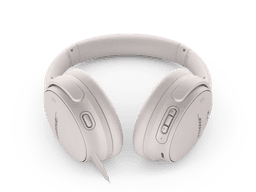
Bose
QuietComfort 45
Lost your $329 Bose QuietComfort 45 headphones? No built-in find feature. Use EarBuddy to detect their strong Bluetooth signal and track them down.
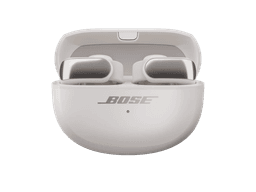
Bose
Ultra Open Earbuds
Lost your $299 Bose Ultra Open Earbuds? Their clip design means they can fall off unnoticed. Use EarBuddy to scan for the Bluetooth signal.

Apple
AirPods 4
Lost your Apple AirPods 4? Use EarBuddy's Bluetooth scanner to detect the BLE signal and track them down — even when Find My can't help.