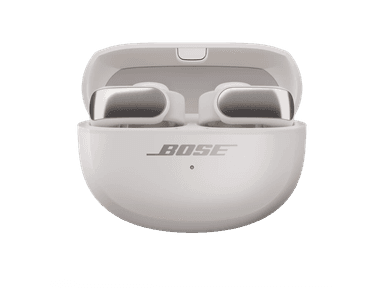
How to Find Your Lost Bose Ultra Open Earbuds in Minutes
The Bose Ultra Open Earbuds use a revolutionary clip-on design that hooks over the ear cartilage instead of inserting into the ear canal, which provides a completely open listening experience but makes them the most drop-prone earbuds in Bose's lineup — a sudden head shake, a gust of wind, or catching them on a coat collar can send one flying. At 6.5g per earbud with the clip mechanism, they're heavier than most and tend to land with a bounce, rolling under desks and gym equipment. EarBuddy detects their BLE 5.3 signal at 30 feet, and their 19.5-hour total case battery is lower than competing Bose models, adding urgency to the search timeline.
Ultra Open Earbuds Bluetooth Specs
Bluetooth Version
BLE 5.3
Detection Range
30 feet indoors
Battery Life
7.5 hours (19.5 with case)
Weight
6.5g per earbud
Water Resistance
IPX4
Audio Codecs
aptX Adaptive, AAC, SBC
Case Battery
19.5 hours
Price
$299
Release Year
2024
Why Bose Music Can't Find Your Ultra Open Earbuds
The Bose Music app can only play a sound when the Ultra Open Earbuds are connected. Their unique open-ear clip design means they can fall off and land anywhere without you noticing.
Step-by-Step: Find Your Bose Ultra Open Earbuds With EarBuddy
Your Ultra Open Earbuds uses BLE 5.3, broadcasting at 2.4 GHz with a typical range of 30 feet indoors. With up to 7.5 hours (19.5 with case) of battery life, there's a good chance it's still transmitting. Here's how to track it down:
Open EarBuddy and start scanning.
Bose Ultra Open Earbuds emit a BLE signal even when disconnected.
Walk around the area — these clip onto your ear and can fall off during activity.
Follow the signal strength to narrow down the location.
Check gym floors, sidewalks, car seats, and desk surfaces.
Ready to Find Your Ultra Open Earbuds?
Download EarBuddy and start scanning in seconds. The Bluetooth radar works with all BLE devices — no pairing required.
Download EarBuddy to Find Your BoseFrequently Asked Questions
Do Bose Ultra Open Earbuds fall off easily?
Can the Bose app find disconnected Ultra Open Earbuds?
Find Other Devices
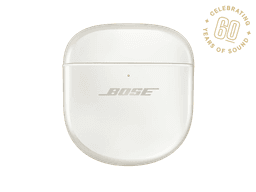
Bose
QuietComfort Ultra Earbuds
Lost your $299 Bose QuietComfort Ultra Earbuds? The Bose app only helps when connected. EarBuddy scans for the BLE signal to find them anywhere.
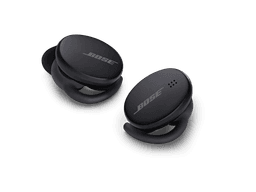
Bose
Sport Earbuds
Lost your Bose Sport Earbuds at the gym? The Bose app can't find disconnected earbuds. Use EarBuddy's Bluetooth scanner to track them down.
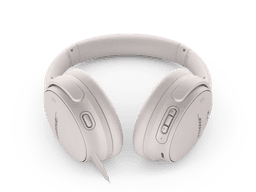
Bose
QuietComfort 45
Lost your $329 Bose QuietComfort 45 headphones? No built-in find feature. Use EarBuddy to detect their strong Bluetooth signal and track them down.

Apple
AirPods 4
Lost your Apple AirPods 4? Use EarBuddy's Bluetooth scanner to detect the BLE signal and track them down — even when Find My can't help.