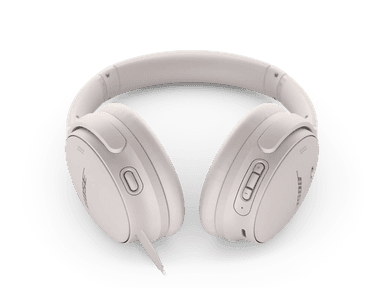
How to Find Your Lost Bose QuietComfort 45 in Minutes
The QuietComfort 45 are Bose's classic folding over-ear headphones and one of the most popular noise-cancelling models ever sold, which means they're left behind on airplanes, in hotel rooms, and at office hot desks more often than almost any other headphone. Their folding design allows them to be tucked into tight spaces where they can be overlooked, unlike non-folding competitors. With a 24-hour battery and BLE 5.1, they broadcast a strong signal that EarBuddy can detect at 30+ feet — and because the QC45 enters standby rather than fully powering off, their BLE beacon can persist for days.
QuietComfort 45 Bluetooth Specs
Bluetooth Version
BLE 5.1
Detection Range
30 feet indoors
Battery Life
24 hours
Weight
240g
Audio Codecs
AAC, SBC
Price
$329
Release Year
2021
Why Bose Music Can't Find Your QuietComfort 45
The QC45 headphones appear in the Bose Music app only when connected. There's no offline tracking, last known location, or find-my-device feature.
Step-by-Step: Find Your Bose QuietComfort 45 With EarBuddy
Your QuietComfort 45 uses BLE 5.1, broadcasting at 2.4 GHz with a typical range of 30 feet indoors. With up to 24 hours of battery life, there's a good chance it's still transmitting. Here's how to track it down:
Open EarBuddy and begin a Bluetooth scan.
QC45 headphones have a large battery and strong BLE signal.
Walk through the building, car, or area where you left them.
The signal meter will spike when you're nearby.
Check desk drawers, backpacks, car seats, and hooks.
Ready to Find Your QuietComfort 45?
Download EarBuddy and start scanning in seconds. The Bluetooth radar works with all BLE devices — no pairing required.
Download EarBuddy to Find Your BoseFrequently Asked Questions
Can Bose QC45 be tracked?
How long will Bose QC45 emit Bluetooth when lost?
Find Other Devices
Bose
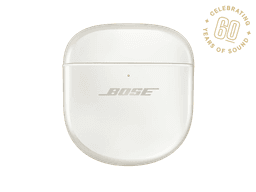
QuietComfort Ultra Earbuds
Lost your $299 Bose QuietComfort Ultra Earbuds? The Bose app only helps when connected. EarBuddy scans for the BLE signal to find them anywhere.
Bose
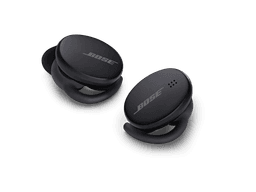
Sport Earbuds
Lost your Bose Sport Earbuds at the gym? The Bose app can't find disconnected earbuds. Use EarBuddy's Bluetooth scanner to track them down.
Bose
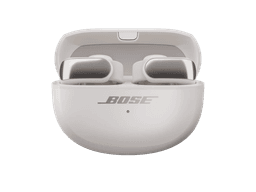
Ultra Open Earbuds
Lost your $299 Bose Ultra Open Earbuds? Their clip design means they can fall off unnoticed. Use EarBuddy to scan for the Bluetooth signal.
Apple
AirPods Max
Lost your $549 AirPods Max? EarBuddy detects their Bluetooth signal even in low-power Smart Case mode. Find them before someone else does.