AirPods vs Galaxy Buds: Which Are Easier to Find When Lost?
Apple and Samsung take different approaches to finding lost earbuds. We compare Find My vs SmartThings Find, and explain where EarBuddy fills the gaps for both.
AirPods and Galaxy Buds are the two best-selling wireless earbuds in the world. Both have official find-my solutions — Apple's Find My and Samsung's SmartThings Find. But how well do they actually work when your earbuds are wedged between couch cushions or left at a coffee shop? We tested both and compared them to EarBuddy.
Apple Find My: Strengths and Weaknesses
Apple's ecosystem has clear advantages:
- Precision Finding (AirPods Pro 2 + iPhone 11 or later) uses Ultra Wideband for directional arrows — the gold standard when it works.
- Find My network leverages hundreds of millions of Apple devices to relay the location of offline AirPods.
- The case has a built-in speaker (Pro 2 / AirPods 4) that can play a sound.
- Weakness: Requires an Apple device. Android users can't use Find My at all.
- Weakness: Precision Finding only works on newer iPhones and AirPods Pro 2. Older models get map-level location only.
- Weakness: If AirPods are in the case with the lid closed, the sound is muffled and nearly inaudible.
Samsung SmartThings Find: Strengths and Weaknesses
Samsung's approach is different:
- SmartThings Find can ring the earbuds when connected.
- The Galaxy Find Network uses other Samsung phones to report offline device locations.
- Weakness: Only works on Samsung Galaxy phones. iPhone users are completely locked out.
- Weakness: The Galaxy Find Network is much smaller than Apple's — fewer devices relaying locations, especially outside major cities.
- Weakness: Galaxy Buds' ring feature only works when actively connected. Disconnected buds can't be rung.
Where Both Fall Short
Both Apple and Samsung give you a last known location on a map. That's helpful for knowing which building your earbuds are in — but once you're in the right area, you need something more precise. That's the gap EarBuddy fills. The app scans for the raw BLE signal and gives you a real-time signal strength meter, guiding you physically to the exact spot. It works with both AirPods and Galaxy Buds, on any iPhone, without needing to be in the Apple or Samsung ecosystem.
The Verdict
If you're fully in the Apple ecosystem with a newer iPhone and AirPods Pro 2, Precision Finding is the best first tool. For everything else — older AirPods, Galaxy Buds, cross-platform setups, or when you're in the right area but can't find the exact spot — EarBuddy's BLE radar is the missing piece. The best strategy: use your native find app to get the general area, then switch to EarBuddy for the final few feet.
Download EarBuddy to complement your native find app. It works with AirPods, Galaxy Buds, and every other BLE device.
Download EarBuddy — Free Bluetooth ScannerRelated Devices
Apple
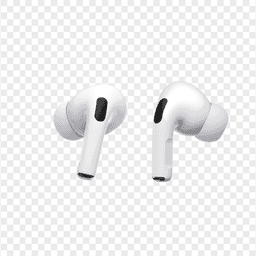
AirPods Pro 2
Lost your $249 AirPods Pro 2? Use EarBuddy to scan for their Bluetooth signal in real-time — works even without Precision Finding or U1 chip.

Apple
AirPods 4
Lost your Apple AirPods 4? Use EarBuddy's Bluetooth scanner to detect the BLE signal and track them down — even when Find My can't help.

Samsung
Galaxy Buds 3 Pro
Lost your Samsung Galaxy Buds 3 Pro? EarBuddy scans for their BLE signal on any phone — no Samsung account or Galaxy phone required.
Samsung
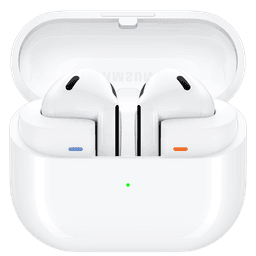
Galaxy Buds 3
Lost your Samsung Galaxy Buds 3? Use EarBuddy to detect their Bluetooth signal from any phone — no Samsung Galaxy device required.