What Is BLE? How Bluetooth Tracking Actually Works
Bluetooth Low Energy is the technology behind every find-my feature. Here's a plain-English explanation of how BLE works, what RSSI means, and why some devices are easier to find than others.
Every wireless earbud, smartwatch, and fitness tracker you own is constantly whispering into the air. It's broadcasting a tiny radio signal called a Bluetooth Low Energy (BLE) advertisement — and that's exactly what apps like EarBuddy listen for when you're trying to find a lost device.
BLE Advertisements: The Invisible Beacon
BLE devices broadcast short radio packets called "advertisements" on the 2.4 GHz frequency band. These packets contain a device identifier and are sent several times per second. The device doesn't need to be paired or connected to anything — it just broadcasts. This is how EarBuddy can detect your earbuds even when they're disconnected from your phone.
RSSI: The Signal Strength That Guides You
RSSI stands for Received Signal Strength Indicator, measured in dBm (decibels relative to a milliwatt). When EarBuddy shows you a signal meter getting stronger, it's tracking the RSSI value. Here's the rough scale: -30 dBm means the device is right next to you (within a foot). -50 dBm is a strong signal (within a room). -70 dBm is moderate (you're in range but not close). -90 dBm is weak (at the edge of detection range). The closer you get, the higher the RSSI, and the more EarBuddy's radar fills up.
Why Some Devices Are Easier to Find Than Others
Several factors affect how detectable a device is:
- Battery size — Larger devices (headphones, smartwatches) have bigger batteries and stronger BLE radios. They transmit further and for longer. A Garmin Fenix is far easier to detect than an Oura Ring.
- BLE version — Newer versions (5.3, 5.4) have better range and more reliable signals than older ones (4.2, 5.0).
- Antenna design — Over-ear headphones have room for better antennas. Tiny earbuds have smaller antennas with shorter range.
- Obstacles — Walls, furniture, and human bodies absorb Bluetooth signals. Line-of-sight detection works best.
- Advertising interval — Some devices broadcast more frequently than others. More frequent = faster detection by EarBuddy.
How EarBuddy Uses BLE to Find Your Device
EarBuddy puts your iPhone's Bluetooth radio into scanning mode, listening for all BLE advertisements nearby. It filters and identifies known device types, then displays the RSSI as a real-time signal strength meter. As you walk around, the RSSI changes — getting stronger as you approach the device and weaker as you move away. The app's Kalman filter smooths out the natural jitter in Bluetooth signals, giving you a steady, reliable reading instead of a jumpy needle.
Think of BLE like a game of "hot and cold" — except the temperature is measured in radio waves. EarBuddy translates those invisible waves into a visual radar you can follow.
Want to see BLE in action? Download EarBuddy and scan your surroundings — you'll be surprised how many devices are broadcasting around you right now.
Download EarBuddy — Free Bluetooth ScannerRelated Devices

Apple
AirPods 4
Lost your Apple AirPods 4? Use EarBuddy's Bluetooth scanner to detect the BLE signal and track them down — even when Find My can't help.

Garmin
Fenix 8
Lost your $899 Garmin Fenix 8 on a hike? Garmin Connect can't scan for it. Use EarBuddy's Bluetooth radar to detect the signal and recover it.
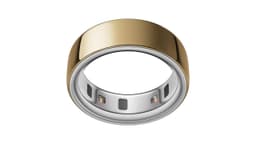
Oura
Oura Ring 4
Lost your $349 Oura Ring 4? The Oura app has no find feature. EarBuddy detects the ring's BLE signal — your only chance to track it down.

Sony
WF-1000XM5
Lost your $298 Sony WF-1000XM5 earbuds? Sony's app only works when connected. EarBuddy detects the passive BLE signal to help you find them.