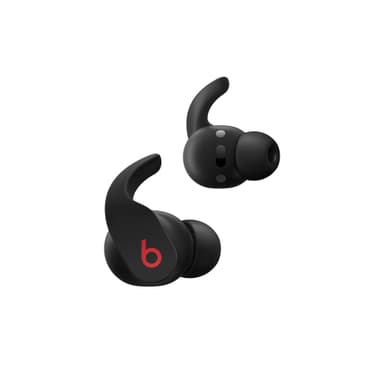
How to Find Your Lost Beats Fit Pro in Minutes
The Beats Fit Pro feature integrated wingtips that provide the most secure fit in the Beats lineup, which means they're less likely to fall out during workouts but more likely to get tangled in towels, gym clothes, and bags without being noticed. They use the Apple H1 chip — the same as AirPods 2 — but since they're marketed heavily toward Android users through the Beats app, a significant portion of owners have zero access to Find My. EarBuddy detects their BLE 5.0 signal at about 25–30 feet, making it the only real-time search tool for the large Android user base of these earbuds.
Fit Pro Bluetooth Specs
Bluetooth Version
BLE 5.0
Detection Range
30 feet indoors
Battery Life
6 hours (24 with case)
Weight
5.6g per earbud
Chipset
Apple H1
Water Resistance
IPX4
Audio Codecs
AAC, SBC
Case Battery
24 hours
Price
$199
Release Year
2021
Why Find My Can't Find Your Fit Pro
Beats Fit Pro work with Apple Find My on iOS, but Android users have no built-in find feature. Find My also only shows last known location — not real-time guidance.
Step-by-Step: Find Your Beats Fit Pro With EarBuddy
Your Fit Pro uses BLE 5.0, broadcasting at 2.4 GHz with a typical range of 30 feet indoors. With up to 6 hours (24 with case) of battery life, there's a good chance it's still transmitting. Here's how to track it down:
Open EarBuddy and start scanning.
Beats Fit Pro emit a BLE signal detectable on any phone.
Walk around the gym, running trail, or wherever you last wore them.
Follow the signal strength indicator in EarBuddy.
The wingtips make them cling to fabric — check gym clothes, towels, and bags.
Ready to Find Your Fit Pro?
Download EarBuddy and start scanning in seconds. The Bluetooth radar works with all BLE devices — no pairing required.
Download EarBuddy to Find Your BeatsFrequently Asked Questions
Do Beats Fit Pro work with Find My on Android?
Can EarBuddy find Beats Fit Pro at the gym?
Find Other Devices
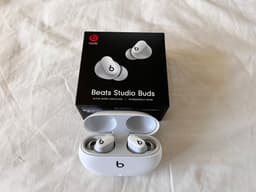
Beats
Studio Buds+
Lost your Beats Studio Buds+? Both Find My and Find My Device only show last location. Use EarBuddy for real-time Bluetooth scanning.
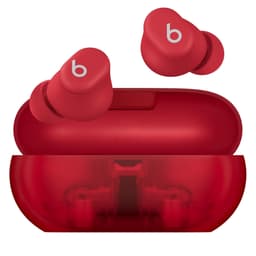
Beats
Solo Buds
Lost your Beats Solo Buds? Their case doesn't charge them, so time is limited. Use EarBuddy to scan for the Bluetooth signal quickly before battery dies.

Apple
AirPods 4
Lost your Apple AirPods 4? Use EarBuddy's Bluetooth scanner to detect the BLE signal and track them down — even when Find My can't help.

Apple
AirPods 3rd Generation
Lost your AirPods 3? EarBuddy's Bluetooth radar detects the BLE signal from your AirPods 3rd Generation even when they're disconnected from your iPhone.