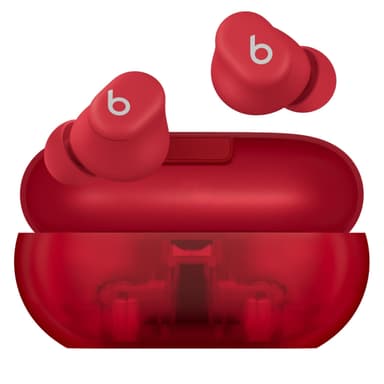
How to Find Your Lost Beats Solo Buds in Minutes
The Solo Buds have the longest single-charge earbud battery in the Beats lineup at 18 hours, but their case is purely a carrying case with no built-in battery — a design choice unique in the true wireless market that means once the earbuds die, there's no case charge to revive the BLE signal. This makes the search window fundamentally different: you get one long stretch of detectability rather than multiple recharge cycles. EarBuddy picks up their BLE 5.3 signal at 30 feet, and because these are Beats' cheapest earbuds at $79, they're popular among students and commuters who lose them frequently on buses and in lecture halls.
Solo Buds Bluetooth Specs
Bluetooth Version
BLE 5.3
Detection Range
30 feet indoors
Battery Life
18 hours
Weight
5.7g per earbud
Water Resistance
IPX4
Audio Codecs
AAC, SBC
Price
$79
Release Year
2024
Why Find My Can't Find Your Solo Buds
Solo Buds are Beats' most affordable option. They support Find My, but the case doesn't charge the earbuds — meaning battery life is limited, and so is your window to find them.
Step-by-Step: Find Your Beats Solo Buds With EarBuddy
Your Solo Buds uses BLE 5.3, broadcasting at 2.4 GHz with a typical range of 30 feet indoors. With up to 18 hours of battery life, there's a good chance it's still transmitting. Here's how to track it down:
Open EarBuddy and start scanning immediately — Solo Buds have limited battery.
Walk quickly through the area you last had them.
EarBuddy's radar will show the signal from the earbuds.
Move toward the strongest signal.
Search fast — the unique case design means they could be anywhere.
Ready to Find Your Solo Buds?
Download EarBuddy and start scanning in seconds. The Bluetooth radar works with all BLE devices — no pairing required.
Download EarBuddy to Find Your BeatsFrequently Asked Questions
Why is finding Solo Buds urgent?
Can EarBuddy detect Solo Buds in the case?
Find Other Devices
Beats
Fit Pro
Lost your Beats Fit Pro? Find My only shows last location. EarBuddy gives you real-time Bluetooth scanning to physically track them down.
Beats
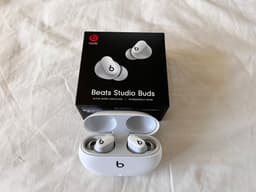
Studio Buds+
Lost your Beats Studio Buds+? Both Find My and Find My Device only show last location. Use EarBuddy for real-time Bluetooth scanning.

Apple
AirPods 4
Lost your Apple AirPods 4? Use EarBuddy's Bluetooth scanner to detect the BLE signal and track them down — even when Find My can't help.

Apple
AirPods 3rd Generation
Lost your AirPods 3? EarBuddy's Bluetooth radar detects the BLE signal from your AirPods 3rd Generation even when they're disconnected from your iPhone.