How to Find Your Lost Google Pixel Buds A-Series in Minutes
The Pixel Buds A-Series were Google's budget earbuds that brought the Pixel audio experience to a $99 price point, using a unique stabilizer arc design that anchors them in the ear without tips or wings — but the arc can catch on hair and clothing, pulling the earbud out and dropping it silently into seams and crevices. With BLE 5.0, they have a slightly shorter effective detection range of about 25–28 feet compared to newer models, so moving slowly with EarBuddy is important. They're the most commonly lost Google earbuds because of their lower price and wider distribution, yet Find My Device support on Android is their only native recovery option — with nothing at all for iPhone users.
Pixel Buds A-Series Bluetooth Specs
Bluetooth Version
BLE 5.0
Detection Range
30 feet indoors
Battery Life
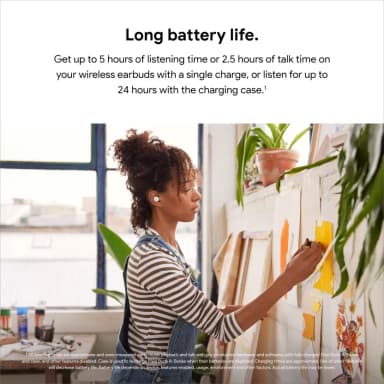
5 hours (24 with case)
Weight
5.06g per earbud
Water Resistance
IPX4
Audio Codecs
AAC, SBC
Case Battery
24 hours
Price
$99
Release Year
2021
Why Find My Device Can't Find Your Pixel Buds A-Series
Pixel Buds A-Series support Find My Device on Android, but the feature is limited to last known location. No real-time scanning, and no support on iOS.
Step-by-Step: Find Your Google Pixel Buds A-Series With EarBuddy
Your Pixel Buds A-Series uses BLE 5.0, broadcasting at 2.4 GHz with a typical range of 30 feet indoors. With up to 5 hours (24 with case) of battery life, there's a good chance it's still transmitting. Here's how to track it down:
Open EarBuddy and begin scanning.
Pixel Buds A-Series emit a standard BLE signal.
Walk around the last known area.
Follow the signal strength on EarBuddy's display.
Check desks, nightstands, and bag pockets.
Ready to Find Your Pixel Buds A-Series?
Download EarBuddy and start scanning in seconds. The Bluetooth radar works with all BLE devices — no pairing required.
Download EarBuddy to Find Your GoogleFrequently Asked Questions
Are Pixel Buds A-Series trackable?
Can I find Pixel Buds A-Series on iPhone?
Find Other Devices

Pixel Buds Pro 2
Lost your Google Pixel Buds Pro 2? Find My Device only shows last location. Use EarBuddy for real-time Bluetooth scanning on any phone.

Pixel Watch 4
Lost your Google Pixel Watch 4? Find My Device is Android-only and shows last location. Use EarBuddy for real-time Bluetooth scanning on any phone.

Apple
AirPods 4
Lost your Apple AirPods 4? Use EarBuddy's Bluetooth scanner to detect the BLE signal and track them down — even when Find My can't help.

Apple
AirPods 3rd Generation
Lost your AirPods 3? EarBuddy's Bluetooth radar detects the BLE signal from your AirPods 3rd Generation even when they're disconnected from your iPhone.