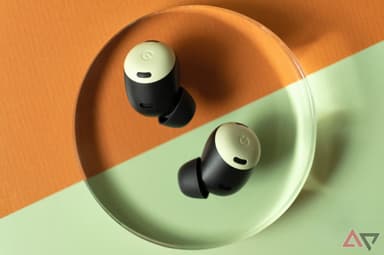
How to Find Your Lost Google Pixel Buds Pro 2 in Minutes
The Pixel Buds Pro 2 are the first earbuds powered by Google's custom Tensor A1 chip, bringing on-device AI processing to features like Silent Seal 2.0 — but Google invested nothing in findability beyond a basic Find My Device pin for Android users. At just 4.7g per earbud, they're among the lightest premium earbuds available, which means they're more comfortable for all-day wear but can fall out without the wearer feeling the weight difference. Their BLE 5.4 signal gives EarBuddy a strong, modern beacon to lock onto at up to 33 feet, making it the only real-time search option for the many iPhone users who buy Pixel Buds for their sound quality.
Pixel Buds Pro 2 Bluetooth Specs
Bluetooth Version
BLE 5.4
Detection Range
33 feet indoors
Battery Life
8 hours (30 with case)
Weight
4.7g per earbud
Chipset
Google Tensor A1
Water Resistance
IP54
Audio Codecs
AAC, SBC
Case Battery
30 hours
Price
$229
Release Year
2024
Why Find My Device Can't Find Your Pixel Buds Pro 2
Pixel Buds Pro 2 work with Google Find My Device on Android. But iPhone users have no native option, and Find My Device only shows last known location.
Step-by-Step: Find Your Google Pixel Buds Pro 2 With EarBuddy
Your Pixel Buds Pro 2 uses BLE 5.4, broadcasting at 2.4 GHz with a typical range of 33 feet indoors. With up to 8 hours (30 with case) of battery life, there's a good chance it's still transmitting. Here's how to track it down:
Open EarBuddy and start scanning.
Pixel Buds Pro 2 emit a strong BLE 5.4 signal.
Walk through the area where you last had them.
EarBuddy's radar shows real-time signal strength.
Narrow down to the exact spot and search nearby surfaces.
Ready to Find Your Pixel Buds Pro 2?
Download EarBuddy and start scanning in seconds. The Bluetooth radar works with all BLE devices — no pairing required.
Download EarBuddy to Find Your GoogleFrequently Asked Questions
Can I find Pixel Buds Pro 2 from an iPhone?
Do Pixel Buds Pro 2 work with the Find My Device network?
Find Other Devices
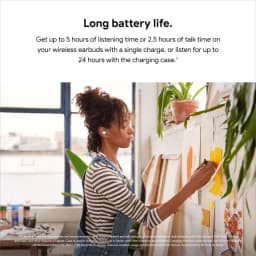
Pixel Buds A-Series
Lost your Google Pixel Buds A-Series? Find My Device only shows last location. Use EarBuddy to scan for their Bluetooth signal in real-time.
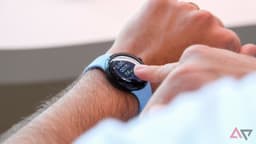
Pixel Watch 4
Lost your Google Pixel Watch 4? Find My Device is Android-only and shows last location. Use EarBuddy for real-time Bluetooth scanning on any phone.

Apple
AirPods 4
Lost your Apple AirPods 4? Use EarBuddy's Bluetooth scanner to detect the BLE signal and track them down — even when Find My can't help.

Apple
AirPods 3rd Generation
Lost your AirPods 3? EarBuddy's Bluetooth radar detects the BLE signal from your AirPods 3rd Generation even when they're disconnected from your iPhone.