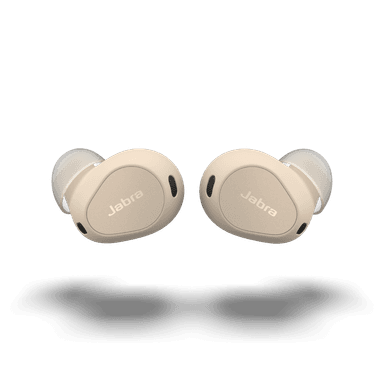
How to Find Your Lost Jabra Elite 10 in Minutes
The Jabra Elite 10 introduced Dolby Atmos spatial audio with head tracking to the Jabra lineup, and their semi-open design with no silicone tips provides comfort but less secure retention during head movements. Jabra announced in 2024 that they would exit the consumer earbuds market, making the Elite 10 one of the last Jabra earbuds ever produced — replacement is no longer a simple option. EarBuddy can detect their BLE 5.3 signal at 30 feet, and their IP57 rating means they'll keep broadcasting even if they fell into a puddle or were left out in a storm.
Elite 10 Bluetooth Specs
Bluetooth Version
BLE 5.3
Detection Range
30 feet indoors
Battery Life
6 hours (27 with case)
Weight
5.7g per earbud
Water Resistance
IP57
Audio Codecs
LC3, AAC, SBC
Case Battery
27 hours
Price
$249
Release Year
2023
Why Jabra Sound+ Can't Find Your Elite 10
Jabra Sound+ app shows last known GPS location from when the earbuds were last connected. It cannot actively scan or ring the earbuds when disconnected.
Step-by-Step: Find Your Jabra Elite 10 With EarBuddy
Your Elite 10 uses BLE 5.3, broadcasting at 2.4 GHz with a typical range of 30 feet indoors. With up to 6 hours (27 with case) of battery life, there's a good chance it's still transmitting. Here's how to track it down:
Open EarBuddy and start a Bluetooth scan.
Jabra Elite 10 emit a BLE signal even when disconnected.
Navigate to the last known location shown in the Jabra app.
Use EarBuddy's real-time radar to narrow down the exact spot.
Check office desks, conference rooms, and bags.
Ready to Find Your Elite 10?
Download EarBuddy and start scanning in seconds. The Bluetooth radar works with all BLE devices — no pairing required.
Download EarBuddy to Find Your JabraFrequently Asked Questions
Can the Jabra app find my Elite 10 when they're disconnected?
Do Jabra Elite 10 work with Apple Find My?
Find Other Devices
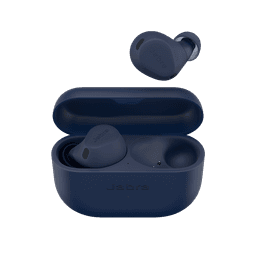
Jabra
Elite 8 Active
Lost your Jabra Elite 8 Active during a workout? EarBuddy's Bluetooth scanner can find them at the gym, park, or trail — they're IP68, so they're likely still alive.
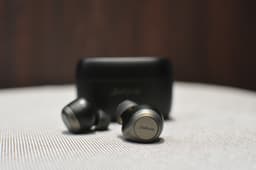
Jabra
Elite 85t
Lost your Jabra Elite 85t? The app shows last location but can't actively find them. Use EarBuddy's real-time BLE scanner to track them down.

Apple
AirPods 4
Lost your Apple AirPods 4? Use EarBuddy's Bluetooth scanner to detect the BLE signal and track them down — even when Find My can't help.

Apple
AirPods 3rd Generation
Lost your AirPods 3? EarBuddy's Bluetooth radar detects the BLE signal from your AirPods 3rd Generation even when they're disconnected from your iPhone.