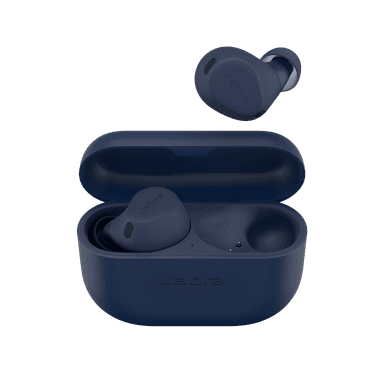
How to Find Your Lost Jabra Elite 8 Active in Minutes
The Elite 8 Active carry the highest durability rating in Jabra's lineup with IP68 and MIL-STD-810H certification, meaning they're virtually indestructible and will continue emitting BLE long after being dropped in mud, sand, or water on a trail. Their ShakeGrip coating provides a textured hold inside the ear canal, but sweat during intense workouts can still cause them to slip out during burpees, box jumps, or sprints. EarBuddy benefits from their robust BLE 5.3 signal at 30 feet, and because Jabra is exiting the consumer market, finding a lost pair is far more urgent than it would be for replaceable models.
Elite 8 Active Bluetooth Specs
Bluetooth Version
BLE 5.3
Detection Range
30 feet indoors
Battery Life
8 hours (32 with case)
Weight
5.0g per earbud
Water Resistance
IP68
Audio Codecs
LC3, AAC, SBC
Case Battery
32 hours
Price
$199
Release Year
2023
Why Jabra Sound+ Can't Find Your Elite 8 Active
The Jabra Sound+ app shows last known location only. Elite 8 Active are designed for sports, which means they're often lost at gyms, parks, and trails.
Step-by-Step: Find Your Jabra Elite 8 Active With EarBuddy
Your Elite 8 Active uses BLE 5.3, broadcasting at 2.4 GHz with a typical range of 30 feet indoors. With up to 8 hours (32 with case) of battery life, there's a good chance it's still transmitting. Here's how to track it down:
Open EarBuddy and begin scanning.
Elite 8 Active have a strong BLE signal and IP68 durability.
Return to the gym, trail, or park where you last had them.
Scan with EarBuddy while walking the route.
They're built tough — even if they got wet, they're likely still transmitting.
Ready to Find Your Elite 8 Active?
Download EarBuddy and start scanning in seconds. The Bluetooth radar works with all BLE devices — no pairing required.
Download EarBuddy to Find Your JabraFrequently Asked Questions
Are Jabra Elite 8 Active waterproof enough to survive being lost outside?
Can I find Jabra Elite 8 Active at a busy gym?
Find Other Devices
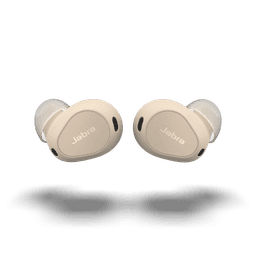
Jabra
Elite 10
Lost your Jabra Elite 10? The Jabra app only shows last known location. Use EarBuddy's real-time Bluetooth radar to find the exact spot.
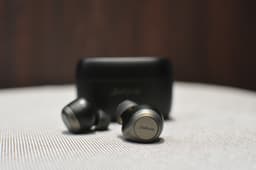
Jabra
Elite 85t
Lost your Jabra Elite 85t? The app shows last location but can't actively find them. Use EarBuddy's real-time BLE scanner to track them down.

Apple
AirPods 4
Lost your Apple AirPods 4? Use EarBuddy's Bluetooth scanner to detect the BLE signal and track them down — even when Find My can't help.

Apple
AirPods 3rd Generation
Lost your AirPods 3? EarBuddy's Bluetooth radar detects the BLE signal from your AirPods 3rd Generation even when they're disconnected from your iPhone.