How to Find Your Lost Jabra Elite 85t in Minutes
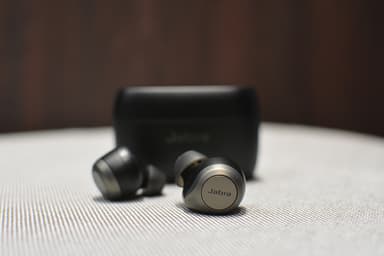
The Elite 85t were Jabra's first earbuds with adjustable ANC and a distinctive oval earbud shape that sits semi-flush with the ear, making them one of the heavier true wireless earbuds at 7.0g per side. Their weight causes ear fatigue during long sessions, prompting users to remove and set them down in random locations — offices, restaurants, and transit seats being the most common loss spots. With BLE 5.1, EarBuddy detects them at about 28–30 feet, and Jabra's 'Find My Jabra' feature in Sound+ only records a GPS pin at last disconnect, providing no active scanning capability whatsoever.
Elite 85t Bluetooth Specs
Bluetooth Version
BLE 5.1
Detection Range
30 feet indoors
Battery Life
5.5 hours (25 with case)
Weight
7.0g per earbud
Water Resistance
IPX4
Audio Codecs
AAC, SBC
Case Battery
25 hours
Price
$229
Release Year
2020
Why Jabra Sound+ Can't Find Your Elite 85t
Jabra Sound+ app has a 'Find My Jabra' feature that shows last known GPS location. However, it cannot ring the earbuds or provide real-time tracking when disconnected.
Step-by-Step: Find Your Jabra Elite 85t With EarBuddy
Your Elite 85t uses BLE 5.1, broadcasting at 2.4 GHz with a typical range of 30 feet indoors. With up to 5.5 hours (25 with case) of battery life, there's a good chance it's still transmitting. Here's how to track it down:
Check the Jabra Sound+ app for the last known location.
Go to that location and open EarBuddy.
Start scanning — the Elite 85t emit BLE signals when they have battery.
Follow the signal strength to narrow down the search.
Check desks, tables, and bag pockets.
Ready to Find Your Elite 85t?
Download EarBuddy and start scanning in seconds. The Bluetooth radar works with all BLE devices — no pairing required.
Download EarBuddy to Find Your JabraFrequently Asked Questions
Does Jabra have a Find My feature?
Can I use both Jabra's app and EarBuddy together?
Find Other Devices
Jabra
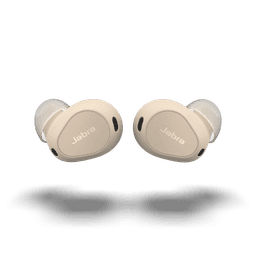
Elite 10
Lost your Jabra Elite 10? The Jabra app only shows last known location. Use EarBuddy's real-time Bluetooth radar to find the exact spot.
Jabra
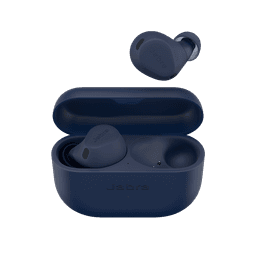
Elite 8 Active
Lost your Jabra Elite 8 Active during a workout? EarBuddy's Bluetooth scanner can find them at the gym, park, or trail — they're IP68, so they're likely still alive.

Apple
AirPods 4
Lost your Apple AirPods 4? Use EarBuddy's Bluetooth scanner to detect the BLE signal and track them down — even when Find My can't help.

Apple
AirPods 3rd Generation
Lost your AirPods 3? EarBuddy's Bluetooth radar detects the BLE signal from your AirPods 3rd Generation even when they're disconnected from your iPhone.