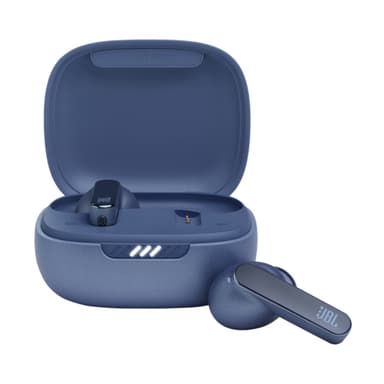
How to Find Your Lost JBL Live Pro 2 in Minutes
The JBL Live Pro 2 offer an impressive 10-hour earbud battery — one of the longest in their class — which means if lost, they'll continue broadcasting BLE 5.2 for an extended period before dying. Their oval charging case has a distinctive pill shape that often gets confused with actual pill cases or small cosmetic containers in bags, leading to them being overlooked during manual searches. EarBuddy benefits from the Live Pro 2's IPX5 rating, as these earbuds will keep transmitting even after exposure to heavy sweat or a splash, giving you reliable signal detection at about 30 feet.
Live Pro 2 Bluetooth Specs
Bluetooth Version
BLE 5.2
Detection Range
30 feet indoors
Battery Life
10 hours (40 with case)
Weight
5.3g per earbud
Water Resistance
IPX5
Audio Codecs
AAC, SBC
Case Battery
40 hours
Price
$149
Release Year
2022
Why JBL Headphones Can't Find Your Live Pro 2
JBL's app has no locate feature. You cannot ring the Live Pro 2 or see any location data through JBL's own software.
Step-by-Step: Find Your JBL Live Pro 2 With EarBuddy
Your Live Pro 2 uses BLE 5.2, broadcasting at 2.4 GHz with a typical range of 30 feet indoors. With up to 10 hours (40 with case) of battery life, there's a good chance it's still transmitting. Here's how to track it down:
Open EarBuddy and begin a scan.
The Live Pro 2 earbuds broadcast BLE signals detectable by EarBuddy.
Walk through the last known area slowly.
Watch the signal strength grow as you get closer.
Check all pockets, pouches, and surfaces near the signal peak.
Ready to Find Your Live Pro 2?
Download EarBuddy and start scanning in seconds. The Bluetooth radar works with all BLE devices — no pairing required.
Download EarBuddy to Find Your JBLFrequently Asked Questions
Can I make my JBL Live Pro 2 play a sound to find them?
Will EarBuddy work with other JBL models?
Find Other Devices
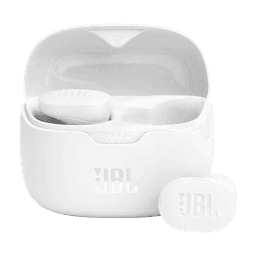
JBL
Tune Buds
Lost your JBL Tune Buds? JBL has no find feature at all. Use EarBuddy's Bluetooth scanner to detect their signal and find them fast.
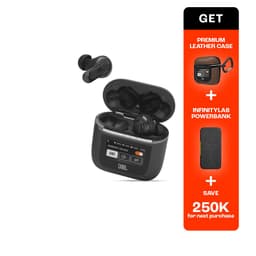
JBL
Tour Pro 2
Lost your $249 JBL Tour Pro 2 with the smart case? Despite the touchscreen case, JBL has no find feature. Use EarBuddy's BLE scanner to locate them.

Apple
AirPods 4
Lost your Apple AirPods 4? Use EarBuddy's Bluetooth scanner to detect the BLE signal and track them down — even when Find My can't help.

Apple
AirPods 3rd Generation
Lost your AirPods 3? EarBuddy's Bluetooth radar detects the BLE signal from your AirPods 3rd Generation even when they're disconnected from your iPhone.