How to Find Your Lost JBL Tour Pro 2 in Minutes
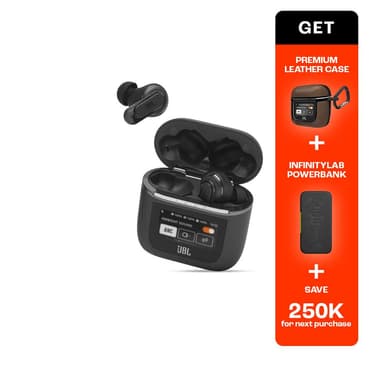
The Tour Pro 2 are the only earbuds on the market with a touchscreen charging case, which makes the case itself a high-value item to lose — yet ironically, JBL built no find feature into that smart display. The case's larger size due to the screen means it doesn't fit neatly in small pockets, leading users to set it down on tables and counters where it's easily forgotten. Their BLE 5.3 signal gives EarBuddy a solid 30-foot detection range, and the smart case emits its own separate BLE beacon, meaning EarBuddy can detect both the earbuds and the case independently.
Tour Pro 2 Bluetooth Specs
Bluetooth Version
BLE 5.3
Detection Range
30 feet indoors
Battery Life
10 hours (40 with case)
Weight
6.1g per earbud
Water Resistance
IPX5
Audio Codecs
AAC, SBC
Case Battery
40 hours
Price
$249
Release Year
2023
Why JBL Headphones Can't Find Your Tour Pro 2
The Tour Pro 2 has a smart touchscreen case, but it has no built-in find feature. JBL provides no way to locate these premium earbuds once lost.
Step-by-Step: Find Your JBL Tour Pro 2 With EarBuddy
Your Tour Pro 2 uses BLE 5.3, broadcasting at 2.4 GHz with a typical range of 30 feet indoors. With up to 10 hours (40 with case) of battery life, there's a good chance it's still transmitting. Here's how to track it down:
Open EarBuddy and tap Start Scanning.
The Tour Pro 2 (and its smart case) emit BLE signals.
Walk through the area where you last had them.
EarBuddy's radar will show the signal getting stronger.
Check near where signal peaks — the smart case is larger than most, so it's easier to spot once you're close.
Ready to Find Your Tour Pro 2?
Download EarBuddy and start scanning in seconds. The Bluetooth radar works with all BLE devices — no pairing required.
Download EarBuddy to Find Your JBLFrequently Asked Questions
Can the JBL Tour Pro 2 smart case help me find the earbuds?
Is the JBL Tour Pro 2 case detectable by Bluetooth?
Find Other Devices
JBL
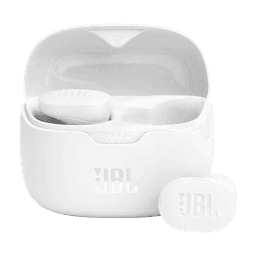
Tune Buds
Lost your JBL Tune Buds? JBL has no find feature at all. Use EarBuddy's Bluetooth scanner to detect their signal and find them fast.
JBL
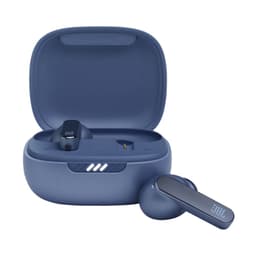
Live Pro 2
Lost your JBL Live Pro 2 earbuds? JBL's app has no locate feature. EarBuddy scans for the Bluetooth signal to help you find them.

Apple
AirPods 4
Lost your Apple AirPods 4? Use EarBuddy's Bluetooth scanner to detect the BLE signal and track them down — even when Find My can't help.

Apple
AirPods 3rd Generation
Lost your AirPods 3? EarBuddy's Bluetooth radar detects the BLE signal from your AirPods 3rd Generation even when they're disconnected from your iPhone.