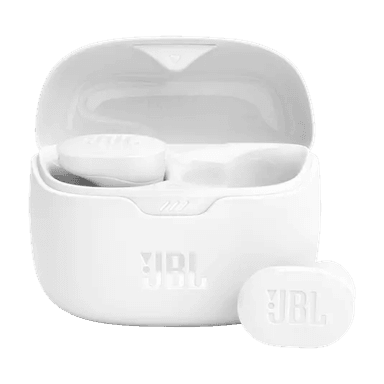
How to Find Your Lost JBL Tune Buds in Minutes
The JBL Tune Buds are one of the best-selling budget earbuds globally, with their stem design closely mimicking the AirPods silhouette at less than half the price — but JBL offers absolutely zero find functionality in their Headphones app, not even a last-connected timestamp. Their IP54 rating provides decent dust and splash protection, so they'll likely survive being lost on a rainy sidewalk. EarBuddy detects their BLE 5.3 signal at a reliable 30 feet, and their 32-hour total battery life gives you a generous window to search before the signal dies.
Tune Buds Bluetooth Specs
Bluetooth Version
BLE 5.3
Detection Range
30 feet indoors
Battery Life
8 hours (32 with case)
Weight
5.1g per earbud
Water Resistance
IP54
Audio Codecs
AAC, SBC
Case Battery
32 hours
Price
$99
Release Year
2023
Why JBL Headphones Can't Find Your Tune Buds
The JBL Headphones app has no find-my feature at all. There's no way to play a sound or see a last known location for Tune Buds.
Step-by-Step: Find Your JBL Tune Buds With EarBuddy
Your Tune Buds uses BLE 5.3, broadcasting at 2.4 GHz with a typical range of 30 feet indoors. With up to 8 hours (32 with case) of battery life, there's a good chance it's still transmitting. Here's how to track it down:
Open EarBuddy and start scanning for Bluetooth devices.
JBL Tune Buds emit a standard BLE advertisement signal.
Walk around the area where you last had them.
The radar will show signal strength increasing as you approach.
Search bags, pockets, desks, and couch cushions when signal is strongest.
Ready to Find Your Tune Buds?
Download EarBuddy and start scanning in seconds. The Bluetooth radar works with all BLE devices — no pairing required.
Download EarBuddy to Find Your JBLFrequently Asked Questions
Does JBL have a find my earbuds feature?
Can I find JBL Tune Buds with Find My iPhone?
Find Other Devices
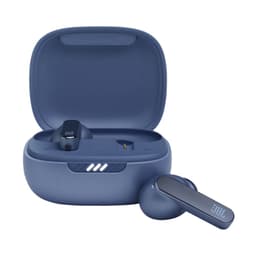
JBL
Live Pro 2
Lost your JBL Live Pro 2 earbuds? JBL's app has no locate feature. EarBuddy scans for the Bluetooth signal to help you find them.
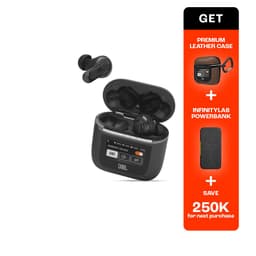
JBL
Tour Pro 2
Lost your $249 JBL Tour Pro 2 with the smart case? Despite the touchscreen case, JBL has no find feature. Use EarBuddy's BLE scanner to locate them.

Apple
AirPods 4
Lost your Apple AirPods 4? Use EarBuddy's Bluetooth scanner to detect the BLE signal and track them down — even when Find My can't help.

Apple
AirPods 3rd Generation
Lost your AirPods 3? EarBuddy's Bluetooth radar detects the BLE signal from your AirPods 3rd Generation even when they're disconnected from your iPhone.