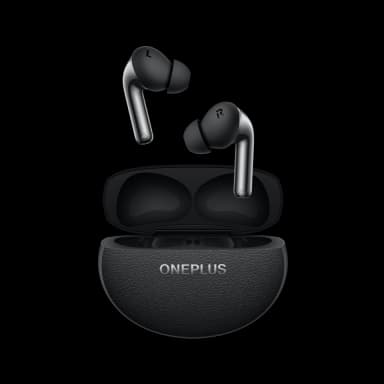
How to Find Your Lost OnePlus Buds Pro 3 in Minutes
The OnePlus Buds Pro 3 were co-designed with Dynaudio and feature a dual-driver system that competes with earbuds twice their price, but the HeyMelody app managing them has zero tracking capability — no last location, no ring, not even a disconnect notification. Their 43-hour total case battery gives EarBuddy one of the longest detection windows of any earbuds, and the IP55 rating provides protection against jets of water, not just splashes. OnePlus users tend to be tech-savvy Android enthusiasts who don't have access to Apple's Find My network, making EarBuddy's BLE 5.3 detection at 30 feet the primary recovery method for this growing user base.
Buds Pro 3 Bluetooth Specs
Bluetooth Version
BLE 5.3
Detection Range
30 feet indoors
Battery Life
10 hours (43 with case)
Weight
5.4g per earbud
Water Resistance
IP55
Audio Codecs
LHDC, AAC, SBC
Case Battery
43 hours
Price
$179
Release Year
2024
Why HeyMelody Can't Find Your Buds Pro 3
The HeyMelody app manages audio settings but has no find or locate feature. OnePlus Buds Pro 3 have no tracking capability through any official OnePlus app.
Step-by-Step: Find Your OnePlus Buds Pro 3 With EarBuddy
Your Buds Pro 3 uses BLE 5.3, broadcasting at 2.4 GHz with a typical range of 30 feet indoors. With up to 10 hours (43 with case) of battery life, there's a good chance it's still transmitting. Here's how to track it down:
Open EarBuddy and start scanning.
OnePlus Buds Pro 3 emit a BLE signal detectable by EarBuddy.
Walk around the area where you last used them.
Follow the signal strength to the earbuds.
Check desk drawers, couch cushions, and jacket pockets.
Ready to Find Your Buds Pro 3?
Download EarBuddy and start scanning in seconds. The Bluetooth radar works with all BLE devices — no pairing required.
Download EarBuddy to Find Your OnePlusFrequently Asked Questions
Does OnePlus have a find my earbuds feature?
Can I find OnePlus Buds Pro 3 with Find My Device?
Find Other Devices

Apple
AirPods 4
Lost your Apple AirPods 4? Use EarBuddy's Bluetooth scanner to detect the BLE signal and track them down — even when Find My can't help.

Apple
AirPods 3rd Generation
Lost your AirPods 3? EarBuddy's Bluetooth radar detects the BLE signal from your AirPods 3rd Generation even when they're disconnected from your iPhone.
Apple
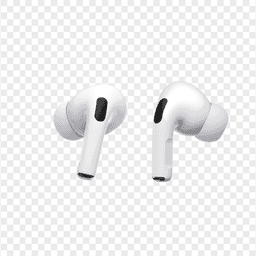
AirPods Pro 2
Lost your $249 AirPods Pro 2? Use EarBuddy to scan for their Bluetooth signal in real-time — works even without Precision Finding or U1 chip.
Apple
AirPods 2nd Generation
Lost your AirPods 2nd Generation? They lack Precision Finding — use EarBuddy's real-time Bluetooth scanner to track the signal and find them.