
How to Find Your Lost Soundcore Liberty 4 Pro in Minutes
The Soundcore Liberty 4 Pro pack audiophile-grade LDAC codec support and adaptive ANC at $129 — roughly half the price of competing flagships — which means they attract users who might not have a tracking ecosystem like Find My or SmartThings to fall back on. Their 40-hour total battery with the case gives EarBuddy one of the longest BLE detection windows in the earbuds category, and the IPX5 rating ensures they'll survive a spill or rain exposure. Anker's Soundcore app has never included any locate feature across any of their products, making EarBuddy the only search tool for the entire Soundcore lineup.
Liberty 4 Pro Bluetooth Specs
Bluetooth Version
BLE 5.3
Detection Range
30 feet indoors
Battery Life
10 hours (40 with case)
Weight
5.6g per earbud
Water Resistance
IPX5
Audio Codecs
LDAC, AAC, SBC
Case Battery
40 hours
Price
$129
Release Year
2024
Why Your Phone Can't Find Your Liberty 4 Pro
The Soundcore app has no find or locate feature whatsoever. No ring, no map, no last known location. If you lose your Liberty 4 Pro, the app is useless.
Step-by-Step: Find Your Soundcore Liberty 4 Pro With EarBuddy
Your Liberty 4 Pro uses BLE 5.3, broadcasting at 2.4 GHz with a typical range of 30 feet indoors. With up to 10 hours (40 with case) of battery life, there's a good chance it's still transmitting. Here's how to track it down:
Open EarBuddy and start scanning.
Liberty 4 Pro emit a BLE signal detectable by EarBuddy.
Walk around the area where you last used them.
Follow the signal strength indicator.
Check couch cushions, desk surfaces, and bag pockets.
Ready to Find Your Liberty 4 Pro?
Download EarBuddy and start scanning in seconds. The Bluetooth radar works with all BLE devices — no pairing required.
Download EarBuddy to Find Your SoundcoreFrequently Asked Questions
Does Soundcore have a find my earbuds feature?
Can I find Soundcore earbuds with Find My iPhone?
Find Other Devices
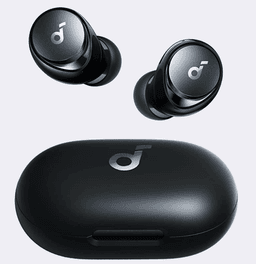
Soundcore
Space A40
Lost your Soundcore Space A40? No find feature in the Soundcore app. Use EarBuddy's Bluetooth radar to scan for the signal and find them.
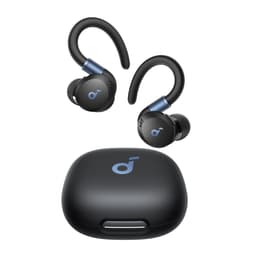
Soundcore
Sport X20
Lost your Soundcore Sport X20 at the gym? No find feature exists. Use EarBuddy's Bluetooth scanner to track them down before someone else finds them.

Apple
AirPods 4
Lost your Apple AirPods 4? Use EarBuddy's Bluetooth scanner to detect the BLE signal and track them down — even when Find My can't help.

Apple
AirPods 3rd Generation
Lost your AirPods 3? EarBuddy's Bluetooth radar detects the BLE signal from your AirPods 3rd Generation even when they're disconnected from your iPhone.