How to Find Your Lost Soundcore Sport X20 in Minutes
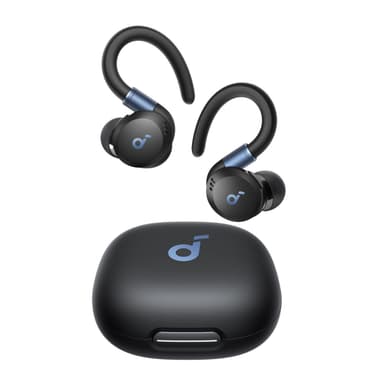
The Soundcore Sport X20 feature over-ear hooks that provide an exceptionally secure fit during workouts, but the hooks can catch on towels, hoodies, and gym equipment, pulling the earbuds out and flinging them across locker rooms and gym floors. Their IP68 rating — the highest in the Soundcore lineup — means they're essentially indestructible from water and dust, so they'll keep transmitting BLE 5.3 even after being dropped in a puddle, pool, or sweaty gym bag. At $59, they're the most affordable sport earbuds here, but Anker still provides zero tracking — EarBuddy detects them at 30 feet and is genuinely the only way to find them once they go missing.
Sport X20 Bluetooth Specs
Bluetooth Version
BLE 5.3
Detection Range
30 feet indoors
Battery Life
9 hours (42 with case)
Weight
6.2g per earbud
Water Resistance
IP68
Audio Codecs
AAC, SBC
Case Battery
42 hours
Price
$59
Release Year
2024
Why Your Phone Can't Find Your Sport X20
Like all Soundcore products, the Sport X20 has no find feature in the app. These sport earbuds are designed for active use — and often get lost during workouts.
Step-by-Step: Find Your Soundcore Sport X20 With EarBuddy
Your Sport X20 uses BLE 5.3, broadcasting at 2.4 GHz with a typical range of 30 feet indoors. With up to 9 hours (42 with case) of battery life, there's a good chance it's still transmitting. Here's how to track it down:
Open EarBuddy and start scanning.
Sport X20 emit BLE signals detectable by EarBuddy.
Search the gym, running path, or locker room.
Follow the signal strength on the radar.
Their ear-hook design means they can hang on equipment or fall into bags.
Ready to Find Your Sport X20?
Download EarBuddy and start scanning in seconds. The Bluetooth radar works with all BLE devices — no pairing required.
Download EarBuddy to Find Your SoundcoreFrequently Asked Questions
Can I find Soundcore Sport X20 at the gym?
Are Sport X20 waterproof enough to survive being lost?
Find Other Devices

Soundcore
Liberty 4 Pro
Lost your Soundcore Liberty 4 Pro? Soundcore has no find feature. Use EarBuddy's Bluetooth scanner to detect the BLE signal and find them.
Soundcore
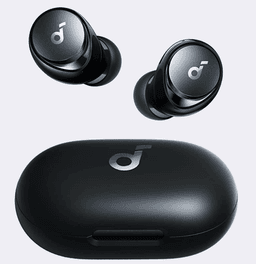
Space A40
Lost your Soundcore Space A40? No find feature in the Soundcore app. Use EarBuddy's Bluetooth radar to scan for the signal and find them.

Apple
AirPods 4
Lost your Apple AirPods 4? Use EarBuddy's Bluetooth scanner to detect the BLE signal and track them down — even when Find My can't help.

Apple
AirPods 3rd Generation
Lost your AirPods 3? EarBuddy's Bluetooth radar detects the BLE signal from your AirPods 3rd Generation even when they're disconnected from your iPhone.