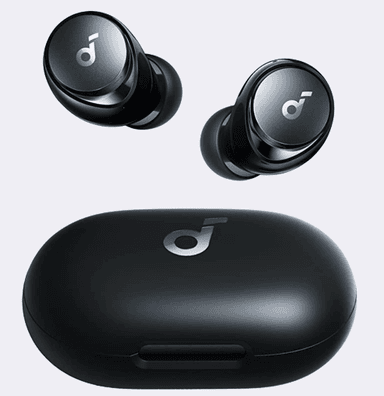
How to Find Your Lost Soundcore Space A40 in Minutes
The Soundcore Space A40 have the longest total battery life of any earbuds on this list at 50 hours with the case, meaning their BLE 5.2 signal will continue broadcasting for days after being lost — an enormous advantage for EarBuddy users who don't realize they're missing right away. At $79, they've sold millions of units and are statistically one of the most commonly lost earbuds simply by volume, often disappearing into gym bags, car cup holders, and junk drawers. Their small 4.9g weight and dark color make them visually difficult to spot, but EarBuddy's 30-foot BLE detection provides a reliable electronic search method.
Space A40 Bluetooth Specs
Bluetooth Version
BLE 5.2
Detection Range
30 feet indoors
Battery Life
10 hours (50 with case)
Weight
4.9g per earbud
Water Resistance
IPX4
Audio Codecs
LDAC, AAC, SBC
Case Battery
50 hours
Price
$79
Release Year
2022
Why Your Phone Can't Find Your Space A40
The Soundcore app has no locate feature. Space A40 are one of the best-selling budget earbuds — and one of the most commonly lost.
Step-by-Step: Find Your Soundcore Space A40 With EarBuddy
Your Space A40 uses BLE 5.2, broadcasting at 2.4 GHz with a typical range of 30 feet indoors. With up to 10 hours (50 with case) of battery life, there's a good chance it's still transmitting. Here's how to track it down:
Open EarBuddy and begin scanning.
Space A40 broadcast a standard BLE signal.
Walk through the area where you last had them.
Follow the signal meter toward the earbuds.
Check common hiding spots: gym bags, pants pockets, car consoles.
Ready to Find Your Space A40?
Download EarBuddy and start scanning in seconds. The Bluetooth radar works with all BLE devices — no pairing required.
Download EarBuddy to Find Your SoundcoreFrequently Asked Questions
Are Soundcore Space A40 detectable by Bluetooth?
How long do Space A40 emit Bluetooth when lost?
Find Other Devices

Soundcore
Liberty 4 Pro
Lost your Soundcore Liberty 4 Pro? Soundcore has no find feature. Use EarBuddy's Bluetooth scanner to detect the BLE signal and find them.
Soundcore
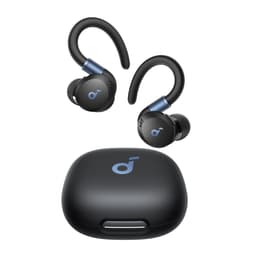
Sport X20
Lost your Soundcore Sport X20 at the gym? No find feature exists. Use EarBuddy's Bluetooth scanner to track them down before someone else finds them.

Apple
AirPods 4
Lost your Apple AirPods 4? Use EarBuddy's Bluetooth scanner to detect the BLE signal and track them down — even when Find My can't help.

Apple
AirPods 3rd Generation
Lost your AirPods 3? EarBuddy's Bluetooth radar detects the BLE signal from your AirPods 3rd Generation even when they're disconnected from your iPhone.