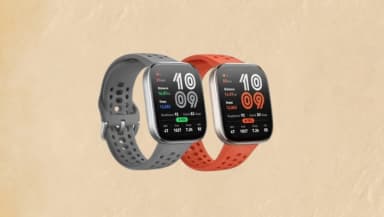
How to Find Your Lost Amazfit Bip 6 in Minutes
The Amazfit Bip 6 continues the Bip line's tradition of ultra-long battery life with 14 days on a single charge, giving EarBuddy two full weeks to detect its BLE 5.2 signal before it goes dark. At 33g and $59, it occupies the budget smartwatch space where users are less likely to invest in additional tracking solutions — making EarBuddy the most practical recovery tool. The Bip 6's square face and silicone band resemble the Apple Watch from a distance, but the Zepp app powering it has never included any form of device tracking across any Amazfit product, creating a persistent gap that only third-party BLE scanners can fill.
Bip 6 Bluetooth Specs
Bluetooth Version
BLE 5.2
Detection Range
30 feet indoors
Battery Life
14 days
Weight
33g
Water Resistance
5 ATM
Price
$59
Release Year
2025
Why Zepp Can't Find Your Bip 6
The Zepp app shows fitness data but has zero locate features. No ring, no map, and no way to scan for a lost Amazfit watch.
Step-by-Step: Find Your Amazfit Bip 6 With EarBuddy
Your Bip 6 uses BLE 5.2, broadcasting at 2.4 GHz with a typical range of 30 feet indoors. With up to 14 days of battery life, there's a good chance it's still transmitting. Here's how to track it down:
Open EarBuddy and start scanning.
Amazfit Bip 6 emits a BLE signal throughout its long battery life.
Search around your home, office, or gym.
Follow the signal meter as you walk.
Check near chargers, nightstands, and bathroom shelves.
Ready to Find Your Bip 6?
Download EarBuddy and start scanning in seconds. The Bluetooth radar works with all BLE devices — no pairing required.
Download EarBuddy to Find Your AmazfitFrequently Asked Questions
Does the Zepp app have a find my watch feature?
How long does Amazfit Bip 6 battery last when lost?
Find Other Devices
Apple
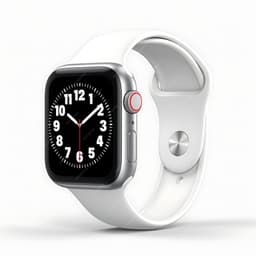
Apple Watch Series 11
Lost your $399 Apple Watch Series 11? EarBuddy detects its Bluetooth signal even when Find My can't connect. Track it down with real-time BLE scanning.
Apple
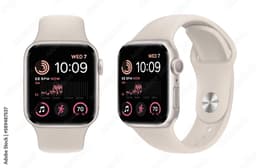
Apple Watch SE 3
Lost your Apple Watch SE 3? Without cellular, Find My depends on nearby iPhones. Use EarBuddy to scan for the Bluetooth signal directly.
Apple
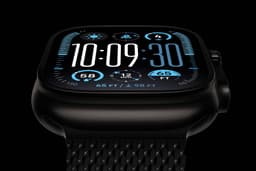
Apple Watch Ultra 3
Lost your $799 Apple Watch Ultra 3 on a hike? If the battery died, Find My can't help. EarBuddy detects the BLE signal to guide you back to it.
Garmin
Venu 4
Lost your $449 Garmin Venu 4? Garmin Connect only shows last sync location. Use EarBuddy for real-time Bluetooth scanning to find it.