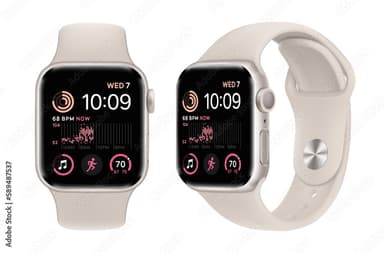
How to Find Your Lost Apple Apple Watch SE 3 in Minutes
The Apple Watch SE 3 is Apple's most affordable watch, making it the most popular model among first-time Apple Watch buyers and teenagers — demographics that lose devices at higher rates. Without built-in cellular, it depends entirely on nearby iPhones for Find My network reporting, creating dead zones in areas with low Apple device density. EarBuddy's direct BLE 5.3 scanning at 30 feet eliminates this dependency entirely, and the SE 3's lighter 36.4g weight means users sometimes forget they removed it, especially when switching between bands at home.
Apple Watch SE 3 Bluetooth Specs
Bluetooth Version
BLE 5.3
Detection Range
30 feet indoors
Battery Life
18 hours
Weight
36.4g (40mm)
Chipset
Apple S10
Water Resistance
WR50 (50 meters)
Price
$249
Release Year
2025
Why Find My Can't Find Your Apple Watch SE 3
Apple Watch SE works with Find My, but without cellular, it relies on nearby iPhones for location updates. If there are no Apple devices nearby, Find My goes silent.
Step-by-Step: Find Your Apple Apple Watch SE 3 With EarBuddy
Your Apple Watch SE 3 uses BLE 5.3, broadcasting at 2.4 GHz with a typical range of 30 feet indoors. With up to 18 hours of battery life, there's a good chance it's still transmitting. Here's how to track it down:
Open EarBuddy and start scanning.
Apple Watch SE broadcasts BLE even without cellular connectivity.
Walk through the house, office, or gym.
Follow the signal strength to narrow down the location.
Check common removal spots: sinks, nightstands, and gym bags.
Ready to Find Your Apple Watch SE 3?
Download EarBuddy and start scanning in seconds. The Bluetooth radar works with all BLE devices — no pairing required.
Download EarBuddy to Find Your AppleFrequently Asked Questions
Can I find Apple Watch SE without cellular?
Is Apple Watch SE harder to find than the regular Apple Watch?
Find Other Devices

Apple
AirPods 4
Lost your Apple AirPods 4? Use EarBuddy's Bluetooth scanner to detect the BLE signal and track them down — even when Find My can't help.

Apple
AirPods 3rd Generation
Lost your AirPods 3? EarBuddy's Bluetooth radar detects the BLE signal from your AirPods 3rd Generation even when they're disconnected from your iPhone.
Apple
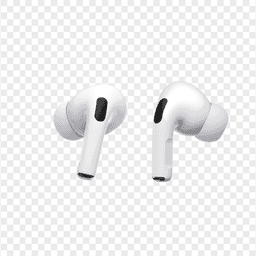
AirPods Pro 2
Lost your $249 AirPods Pro 2? Use EarBuddy to scan for their Bluetooth signal in real-time — works even without Precision Finding or U1 chip.
Apple
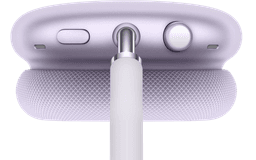
AirPods Max
Lost your $549 AirPods Max? EarBuddy detects their Bluetooth signal even in low-power Smart Case mode. Find them before someone else does.