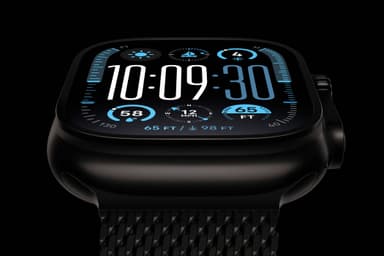
How to Find Your Lost Apple Apple Watch Ultra 3 in Minutes
At $799 and 61.4g, the Apple Watch Ultra 3 is the most expensive and heaviest Apple Watch, designed for extreme outdoor activities where it's most likely to be lost — remote hiking trails, dive sites, and backcountry skiing runs where cellular coverage is nonexistent. Its 36-hour battery (72 in low power) means the BLE signal can persist for days after being lost, and its titanium case with 100-meter water resistance will survive virtually any environment. EarBuddy can detect its powerful BLE 5.3 signal at 40+ feet indoors and even farther in open outdoor areas, making it invaluable for retracing a trail where Find My has no coverage.
Apple Watch Ultra 3 Bluetooth Specs
Bluetooth Version
BLE 5.3
Detection Range
40 feet indoors, 65+ feet outdoors
Battery Life
36 hours (72 in low power mode)
Weight
61.4g
Chipset
Apple S11
Water Resistance
WR100 (100 meters), EN13319
Price
$799
Release Year
2025
Why Find My Can't Find Your Apple Watch Ultra 3
The Ultra 3 has cellular and precision finding, but if the battery dies after a long outdoor activity, Find My loses contact. At $799, you need a backup plan.
Step-by-Step: Find Your Apple Apple Watch Ultra 3 With EarBuddy
Your Apple Watch Ultra 3 uses BLE 5.3, broadcasting at 2.4 GHz with a typical range of 40 feet indoors, 65+ feet outdoors. With up to 36 hours (72 in low power mode) of battery life, there's a good chance it's still transmitting. Here's how to track it down:
Open EarBuddy and begin scanning.
Apple Watch Ultra has a powerful BLE radio and large battery — it transmits longer than most devices.
Retrace your outdoor route or search the area.
The robust signal is detectable at longer range than typical earbuds.
Check trail heads, campsites, and vehicle interiors.
Ready to Find Your Apple Watch Ultra 3?
Download EarBuddy and start scanning in seconds. The Bluetooth radar works with all BLE devices — no pairing required.
Download EarBuddy to Find Your AppleFrequently Asked Questions
How long does Apple Watch Ultra 3 emit Bluetooth when lost?
Can EarBuddy find Apple Watch Ultra outdoors?
Find Other Devices

Apple
AirPods 4
Lost your Apple AirPods 4? Use EarBuddy's Bluetooth scanner to detect the BLE signal and track them down — even when Find My can't help.

Apple
AirPods 3rd Generation
Lost your AirPods 3? EarBuddy's Bluetooth radar detects the BLE signal from your AirPods 3rd Generation even when they're disconnected from your iPhone.
Apple
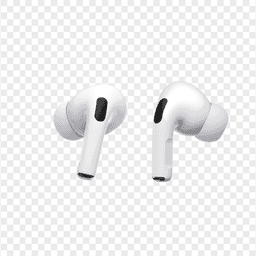
AirPods Pro 2
Lost your $249 AirPods Pro 2? Use EarBuddy to scan for their Bluetooth signal in real-time — works even without Precision Finding or U1 chip.
Apple
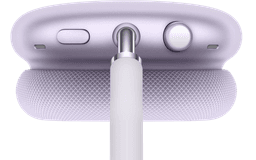
AirPods Max
Lost your $549 AirPods Max? EarBuddy detects their Bluetooth signal even in low-power Smart Case mode. Find them before someone else does.