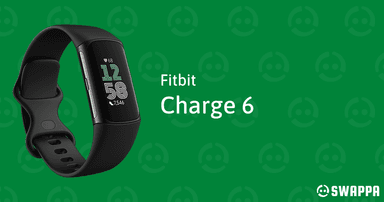
How to Find Your Lost Fitbit Charge 6 in Minutes
The Fitbit Charge 6 is the first Fitbit tracker with Google integration, including Google Maps and YouTube Music, yet despite being owned by Google, it still has zero find-my capability in the Fitbit app. Its slim band design and quick-release mechanism mean it can slip off a wrist or get left on a bathroom shelf when removed for showering — the most common loss scenario for fitness bands. EarBuddy detects its BLE 5.0 signal at about 28–30 feet, and the 7-day battery ensures the signal persists for an entire week, which is usually more than enough time to realize it's missing and begin scanning.
Charge 6 Bluetooth Specs
Bluetooth Version
BLE 5.0
Detection Range
30 feet indoors
Battery Life
7 days
Weight
37g
Water Resistance
WR50 (50 meters)
Price
$159
Release Year
2023
Why Fitbit App Can't Find Your Charge 6
The Fitbit app shows when your Charge 6 last synced, but there's no locate, ring, or scan feature. If you took it off and forgot where, the app can't help.
Step-by-Step: Find Your Fitbit Charge 6 With EarBuddy
Your Charge 6 uses BLE 5.0, broadcasting at 2.4 GHz with a typical range of 30 feet indoors. With up to 7 days of battery life, there's a good chance it's still transmitting. Here's how to track it down:
Open EarBuddy and start scanning.
Fitbit Charge 6 emits a constant BLE signal.
Search around your bedroom, bathroom, and gym.
Follow the signal meter toward the tracker.
Its slim form means it slides into drawers and under items easily.
Ready to Find Your Charge 6?
Download EarBuddy and start scanning in seconds. The Bluetooth radar works with all BLE devices — no pairing required.
Download EarBuddy to Find Your FitbitFrequently Asked Questions
Does Fitbit have a find my tracker feature?
How long does Fitbit Charge 6 emit Bluetooth?
Find Other Devices
Fitbit
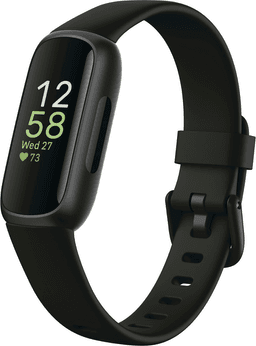
Inspire 3
Lost your Fitbit Inspire 3? It's tiny and easily misplaced. Use EarBuddy to detect the Bluetooth signal — the Fitbit app can't help you find it.

Fitbit
Versa 4
Lost your Fitbit Versa 4? Fitbit has no find feature. Use EarBuddy's real-time Bluetooth scanner to track the signal and locate your watch.
Fitbit
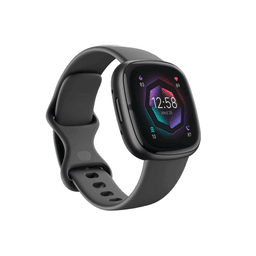
Sense 2
Lost your $299 Fitbit Sense 2? No find feature in the Fitbit app. Use EarBuddy to detect the Bluetooth signal and locate your watch.
Apple
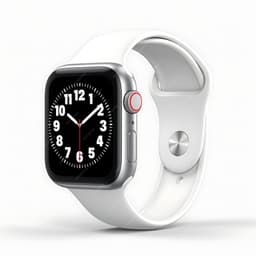
Apple Watch Series 11
Lost your $399 Apple Watch Series 11? EarBuddy detects its Bluetooth signal even when Find My can't connect. Track it down with real-time BLE scanning.