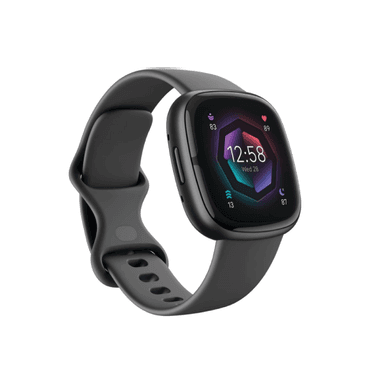
How to Find Your Lost Fitbit Sense 2 in Minutes
The Fitbit Sense 2 is Fitbit's health-focused flagship with an EDA stress sensor and skin temperature tracking, which means it's worn 24/7 including during sleep — and the most common loss scenario is removing it for charging and forgetting where it was placed. Its cEDA sensor requires skin contact, so unlike regular watches, users take it off more frequently to clean the sensor area, creating additional opportunities to misplace it. At $299 with BLE 5.0, EarBuddy detects it at 30 feet, and the 6-day battery means you have nearly a full week of BLE broadcasting before the signal goes silent.
Sense 2 Bluetooth Specs
Bluetooth Version
BLE 5.0
Detection Range
30 feet indoors
Battery Life
6+ days
Weight
37.9g (without band)
Water Resistance
WR50 (50 meters)
Price
$299
Release Year
2022
Why Fitbit App Can't Find Your Sense 2
Fitbit Sense 2 is Fitbit's most advanced smartwatch, yet it has no find feature in the app. At $299, losing it without a way to scan is frustrating.
Step-by-Step: Find Your Fitbit Sense 2 With EarBuddy
Your Sense 2 uses BLE 5.0, broadcasting at 2.4 GHz with a typical range of 30 feet indoors. With up to 6+ days of battery life, there's a good chance it's still transmitting. Here's how to track it down:
Open EarBuddy and start scanning.
Fitbit Sense 2 emits a strong BLE signal.
Search around your home, especially bedrooms and bathrooms.
The signal meter will guide you as you get closer.
Check near chargers, sinks, and counters where you might remove it.
Ready to Find Your Sense 2?
Download EarBuddy and start scanning in seconds. The Bluetooth radar works with all BLE devices — no pairing required.
Download EarBuddy to Find Your FitbitFrequently Asked Questions
Is Fitbit Sense 2 detectable by Bluetooth scanners?
How long will Fitbit Sense 2 broadcast Bluetooth when lost?
Find Other Devices
Fitbit
Charge 6
Lost your Fitbit Charge 6? The Fitbit app can't locate it. Use EarBuddy's Bluetooth scanner to detect the BLE signal and find it fast.
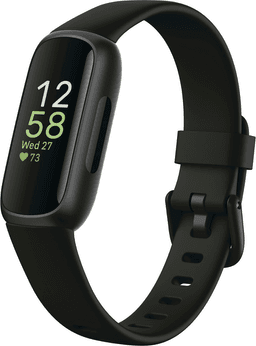
Fitbit
Inspire 3
Lost your Fitbit Inspire 3? It's tiny and easily misplaced. Use EarBuddy to detect the Bluetooth signal — the Fitbit app can't help you find it.

Fitbit
Versa 4
Lost your Fitbit Versa 4? Fitbit has no find feature. Use EarBuddy's real-time Bluetooth scanner to track the signal and locate your watch.
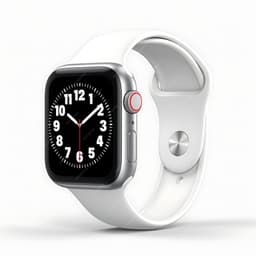
Apple
Apple Watch Series 11
Lost your $399 Apple Watch Series 11? EarBuddy detects its Bluetooth signal even when Find My can't connect. Track it down with real-time BLE scanning.