
How to Find Your Lost Fitbit Versa 4 in Minutes
The Fitbit Versa 4 is Fitbit's mainstream smartwatch with a square face that resembles the Apple Watch, yet it completely lacks the finding capabilities that Apple, Samsung, and Google build into their watches. Its infinity band design creates a seamless look but uses a proprietary attachment that can pop open if snagged on clothing or furniture, leaving the watch behind without the wearer realizing. With 6+ days of battery and BLE 5.0, EarBuddy can detect it at 30 feet for nearly a week — and because the Versa 4 is water resistant to 50 meters, it will survive being left anywhere from a poolside chair to a rainy park bench.
Versa 4 Bluetooth Specs
Bluetooth Version
BLE 5.0
Detection Range
30 feet indoors
Battery Life
6+ days
Weight
37.6g (without band)
Water Resistance
WR50 (50 meters)
Price
$229
Release Year
2022
Why Fitbit App Can't Find Your Versa 4
Fitbit Versa 4 is a full smartwatch but Fitbit's app still has no find feature. No ring, no map, no tracking — just last sync timestamp.
Step-by-Step: Find Your Fitbit Versa 4 With EarBuddy
Your Versa 4 uses BLE 5.0, broadcasting at 2.4 GHz with a typical range of 30 feet indoors. With up to 6+ days of battery life, there's a good chance it's still transmitting. Here's how to track it down:
Open EarBuddy and start scanning.
Versa 4 broadcasts a BLE signal continuously.
Walk through your home, office, or gym.
Follow the signal strength indicator.
Check chargers, nightstands, bathroom counters, and gym cubbies.
Ready to Find Your Versa 4?
Download EarBuddy and start scanning in seconds. The Bluetooth radar works with all BLE devices — no pairing required.
Download EarBuddy to Find Your FitbitFrequently Asked Questions
Why doesn't Fitbit have a find my watch feature?
Can Google Find My Device locate a Fitbit Versa 4?
Find Other Devices
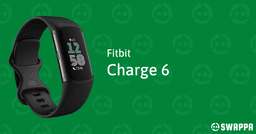
Fitbit
Charge 6
Lost your Fitbit Charge 6? The Fitbit app can't locate it. Use EarBuddy's Bluetooth scanner to detect the BLE signal and find it fast.
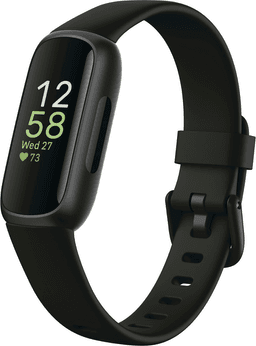
Fitbit
Inspire 3
Lost your Fitbit Inspire 3? It's tiny and easily misplaced. Use EarBuddy to detect the Bluetooth signal — the Fitbit app can't help you find it.
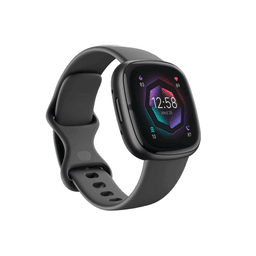
Fitbit
Sense 2
Lost your $299 Fitbit Sense 2? No find feature in the Fitbit app. Use EarBuddy to detect the Bluetooth signal and locate your watch.
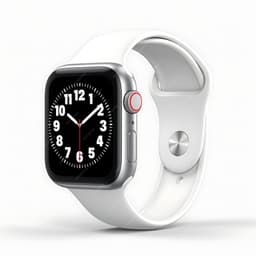
Apple
Apple Watch Series 11
Lost your $399 Apple Watch Series 11? EarBuddy detects its Bluetooth signal even when Find My can't connect. Track it down with real-time BLE scanning.