
How to Find Your Lost Whoop Whoop 5.0 in Minutes
The Whoop 5.0 is unique on this list because it has no upfront cost — you pay a monthly subscription — but losing the sensor unit still means paying for a replacement and losing your streak data until a new one arrives. It has no screen, no speaker, and no buttons, making it completely silent and invisible once separated from your wrist. The band clasp is its weak point: it can loosen during sleep or snap open during vigorous exercise, and users frequently find it in their bedsheets, shower floors, or gym bags. EarBuddy can detect its BLE 5.2 signal at about 20 feet, and the 5-day battery provides a reasonable search window.
Whoop 5.0 Bluetooth Specs
Bluetooth Version
BLE 5.2
Detection Range
20 feet indoors
Battery Life
5 days
Weight
28g (sensor only)
Water Resistance
IP68 (10 meters)
Price
$0
Release Year
2025
Why Your Phone Can't Find Your Whoop 5.0
Whoop has no find or locate feature in its app. Since the device has no screen and no buttons, if it falls off your wrist, there's no way to make it signal you.
Step-by-Step: Find Your Whoop Whoop 5.0 With EarBuddy
Your Whoop 5.0 uses BLE 5.2, broadcasting at 2.4 GHz with a typical range of 20 feet indoors. With up to 5 days of battery life, there's a good chance it's still transmitting. Here's how to track it down:
Open EarBuddy and start scanning.
Whoop 5.0 emits a BLE signal continuously.
Search around your bed, shower area, and gym.
Follow the signal strength meter.
The band can slip off during sleep or showers — check those areas first.
Ready to Find Your Whoop 5.0?
Download EarBuddy and start scanning in seconds. The Bluetooth radar works with all BLE devices — no pairing required.
Download EarBuddy to Find Your WhoopFrequently Asked Questions
Does Whoop have a find my band feature?
Why do Whoop bands get lost so easily?
Find Other Devices
Apple
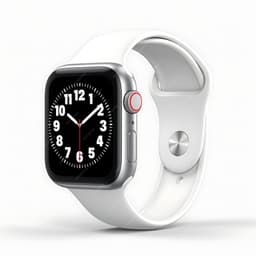
Apple Watch Series 11
Lost your $399 Apple Watch Series 11? EarBuddy detects its Bluetooth signal even when Find My can't connect. Track it down with real-time BLE scanning.
Apple
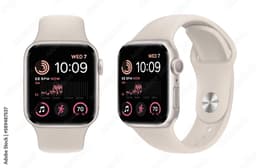
Apple Watch SE 3
Lost your Apple Watch SE 3? Without cellular, Find My depends on nearby iPhones. Use EarBuddy to scan for the Bluetooth signal directly.
Apple
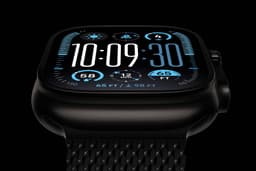
Apple Watch Ultra 3
Lost your $799 Apple Watch Ultra 3 on a hike? If the battery died, Find My can't help. EarBuddy detects the BLE signal to guide you back to it.
Garmin
Venu 4
Lost your $449 Garmin Venu 4? Garmin Connect only shows last sync location. Use EarBuddy for real-time Bluetooth scanning to find it.