
How to Find Your Lost Xiaomi Smart Band 10 in Minutes
The Xiaomi Smart Band 10 has an astonishing 20-day battery life in a $35 package, meaning its BLE 5.4 signal will broadcast for nearly three weeks when lost — the longest window of any fitness band on this list. Its pop-out capsule design means the tracker can separate from the strap, creating two distinct loss scenarios: losing the whole band or just the capsule. At 24.5g without the strap, it's small and dark enough to blend into desk clutter or get swept into a drawer. EarBuddy can detect its BLE 5.4 signal at about 25 feet, and the ultra-low price means many users don't even attempt to find it — but EarBuddy makes recovery trivially easy.
Smart Band 10 Bluetooth Specs
Bluetooth Version
BLE 5.4
Detection Range
25 feet indoors
Battery Life
20 days
Weight
24.5g (without strap)
Water Resistance
5 ATM
Price
$35
Release Year
2025
Why Mi Fitness Can't Find Your Smart Band 10
Mi Fitness has no locate or find feature for Xiaomi bands. At $35, some people don't bother looking — but why replace it when EarBuddy can find it?
Step-by-Step: Find Your Xiaomi Smart Band 10 With EarBuddy
Your Smart Band 10 uses BLE 5.4, broadcasting at 2.4 GHz with a typical range of 25 feet indoors. With up to 20 days of battery life, there's a good chance it's still transmitting. Here's how to track it down:
Open EarBuddy and start scanning.
Xiaomi Smart Band 10 emits a BLE signal.
Search your nightstand, bathroom, and desk area.
Follow the signal — it's a small device so range is shorter.
Check under pillows, in drawers, and near charging cables.
Ready to Find Your Smart Band 10?
Download EarBuddy and start scanning in seconds. The Bluetooth radar works with all BLE devices — no pairing required.
Download EarBuddy to Find Your XiaomiFrequently Asked Questions
Can Mi Fitness find my Xiaomi Smart Band?
How long does Xiaomi Smart Band 10 battery last?
Find Other Devices

Xiaomi
Smart Band 9
Lost your Xiaomi Smart Band 9? The tracker can pop out of the band and disappear. Use EarBuddy's Bluetooth scanner to find it.
Apple
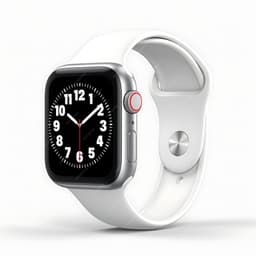
Apple Watch Series 11
Lost your $399 Apple Watch Series 11? EarBuddy detects its Bluetooth signal even when Find My can't connect. Track it down with real-time BLE scanning.
Apple
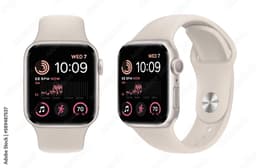
Apple Watch SE 3
Lost your Apple Watch SE 3? Without cellular, Find My depends on nearby iPhones. Use EarBuddy to scan for the Bluetooth signal directly.
Apple
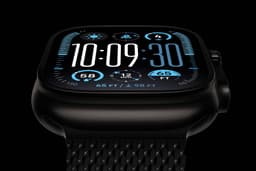
Apple Watch Ultra 3
Lost your $799 Apple Watch Ultra 3 on a hike? If the battery died, Find My can't help. EarBuddy detects the BLE signal to guide you back to it.