How to Find Your Lost Xiaomi Smart Band 9 in Minutes
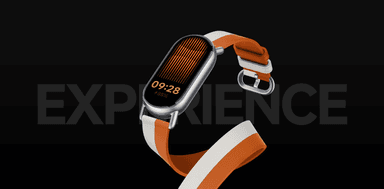
The Xiaomi Smart Band 9 weighs just 15.8 grams for the capsule alone — lighter than most earbuds — and its interchangeable strap system with metallic and braided options means users swap bands frequently, increasing the chances of the capsule popping out and disappearing during a change. Its 21-day battery with BLE 5.4 provides the longest BLE broadcast window of any device in this entire database, meaning EarBuddy can find it weeks after it goes missing. At $29, it's the second cheapest device here, but its pop-out capsule can easily roll under furniture or fall into heating vents — scenarios where EarBuddy's 25-foot scanning range is the only practical solution.
Smart Band 9 Bluetooth Specs
Bluetooth Version
BLE 5.4
Detection Range
25 feet indoors
Battery Life
21 days
Weight
15.8g (capsule only)
Water Resistance
5 ATM
Price
$29
Release Year
2024
Why Mi Fitness Can't Find Your Smart Band 9
Like all Xiaomi bands, the Smart Band 9 has no find feature in Mi Fitness. The interchangeable band design also means the tracker can pop out and get lost separately.
Step-by-Step: Find Your Xiaomi Smart Band 9 With EarBuddy
Your Smart Band 9 uses BLE 5.4, broadcasting at 2.4 GHz with a typical range of 25 feet indoors. With up to 21 days of battery life, there's a good chance it's still transmitting. Here's how to track it down:
Open EarBuddy and start scanning.
Smart Band 9 emits a BLE 5.4 signal.
Search common areas: bedroom, bathroom, laundry.
The tracker capsule can separate from the band — search for both.
Follow the signal strength to narrow down the location.
Ready to Find Your Smart Band 9?
Download EarBuddy and start scanning in seconds. The Bluetooth radar works with all BLE devices — no pairing required.
Download EarBuddy to Find Your XiaomiFrequently Asked Questions
Can the Xiaomi Smart Band 9 tracker pop out?
Is Xiaomi Smart Band 9 detectable via Bluetooth?
Find Other Devices

Xiaomi
Smart Band 10
Lost your Xiaomi Smart Band 10? Mi Fitness can't find it. Use EarBuddy's Bluetooth scanner — it's faster than buying a replacement.
Apple
Apple Watch Series 11
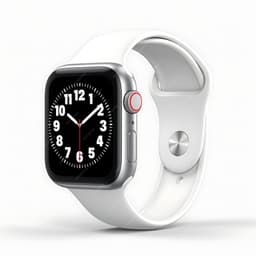
Lost your $399 Apple Watch Series 11? EarBuddy detects its Bluetooth signal even when Find My can't connect. Track it down with real-time BLE scanning.
Apple
Apple Watch SE 3
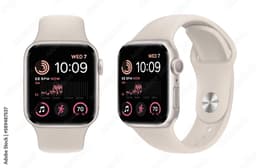
Lost your Apple Watch SE 3? Without cellular, Find My depends on nearby iPhones. Use EarBuddy to scan for the Bluetooth signal directly.
Apple
Apple Watch Ultra 3
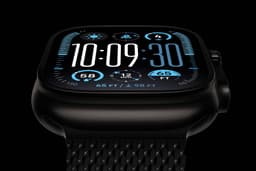
Lost your $799 Apple Watch Ultra 3 on a hike? If the battery died, Find My can't help. EarBuddy detects the BLE signal to guide you back to it.