
Lost Your Earbud Case but Still Have the Buds? What to Do
Find out whether your empty earbud case can be tracked, how to keep using your buds, and what to check before buying a replacement.

If you lost your charging case but still have both earbuds, you can usually keep listening until their batteries run out. Charging them again normally requires a compatible case. You may be able to track the missing case, but only if that particular case has its own tracking hardware or emits a detectable Bluetooth signal. Otherwise, your best options are a targeted physical search and, if needed, a replacement case matched to your exact earbuds.
Can You Track an Empty Earbud Case?
Do not assume that a case is trackable just because the earbuds are. Many charging cases mainly store power and charge the buds. They do not independently broadcast a signal that your phone can locate. With both earbuds in your hands, a nearby Bluetooth result may simply be detecting those earbuds, not the missing case.
Some cases do have separate finding features. For example, the AirPods Pro 2 charging case supports case finding through Apple's Find My. That does not mean every AirPods case, or every wireless earbud case, does the same thing. Check the manufacturer's documentation for your exact version, then look in its supported finding service for a separate case entry.
Before following a location or signal, check what it actually represents:
- Look for a case-specific label or control. A general earbuds entry is not proof that the empty case is being located.
- Check the timestamp. An older location may show where you last used the earbuds rather than where the case is now.
- If the supported service offers a sound for the case, select the case explicitly instead of playing sound through the earbuds you already have.
- Read the exact case specifications. Wireless charging, a battery indicator, and a pairing button do not by themselves make a case trackable.
Search From the Moment You Took the Buds Out
Your strongest clue is not necessarily where you last listened. It is where you last opened the case. Once the buds were in your ears, you could have carried on for hours while the case stayed on a table, slipped into a pocket, or got left beside a charger. Reconstruct that short handoff first.
Keep this search focused on the case rather than repeating your whole day:
- Identify your last definite case interaction: taking the buds out, checking the charge, or putting the empty case away.
- Recreate what your hands were doing. If you picked up keys, paid for something, or moved a bag, check the surface where you freed up a hand.
- Empty the specific pocket or bag compartment you used. A small case can sit beneath a lining fold or inside another pouch.
- Check its charging spot, including behind furniture and around the cable. You may have taken the buds while leaving the case plugged in.
- If you opened it at a business or on transport, ask about an empty charging case. Describe the color, shape, cover, and any distinguishing marks.
Use a flashlight for narrow gaps, and move items instead of only looking over them. A rounded case can roll away from the place you remember setting it down. If someone helps you search, show them a product photo so they know they are looking for the container, not loose earbuds.
Keep the Buds Usable While You Look
If the earbuds are still paired with your phone, leave that pairing alone. Forgetting the device or attempting a factory reset can create a new problem: some earbuds need their case to enter pairing mode or complete setup. Your current connection may keep working even though you cannot charge them.
Save their remaining charge for calls or listening you actually need. Use the manufacturer's documented power-off method if one exists; do not assume loose earbuds switch off immediately when you stop playback. For temporary storage, use a clean, dry, protective container and keep the charging contacts away from keys, coins, and moisture.
Do not try to charge loose earbuds with bare wires, improvised contacts, or a case that only looks compatible. Matching the shape is not enough. The charging contacts, electrical requirements, and setup process must match too.
Buy a Replacement Case, Not Another Problem
Start with the manufacturer's parts store or support team. Ask whether a case is available separately and whether it will work with the two earbuds you already own. Replacement availability varies, so compare the total cost with a new set before committing. Include delivery costs and any setup or service charges.
Check these details before ordering an official, used, or third-party replacement:
- Exact model and generation: find the model number in your phone's device settings, the manufacturer's app, the original box, or the markings on the buds.
- Explicit compatibility: look for your precise earbud version, not just the brand or a similar product name.
- Setup requirements: confirm how your existing buds are initialized or paired with the replacement case.
- Condition: for a used case, ask whether it charges both slots reliably and whether its battery holds charge.
- Ownership requirements: if the case supports account-linked tracking, confirm that the seller has followed the manufacturer's removal process.
- Return policy: make sure you can return it if it will not charge or recognize your earbuds.
A borrowed case is only a useful temporary option when compatibility is confirmed. Follow the manufacturer's instructions rather than trying repeated resets. Once your replacement arrives, test charging in both slots and complete the recommended setup before relying on it away from home.
When a Bluetooth Search Is Worth Trying
EarBuddy can help with a nearby search only if the missing case itself emits a detectable Bluetooth Low Energy signal and still has power. Its brand identification does not prove that a result is your empty case, especially with your earbuds nearby. It cannot locate a non-broadcasting case or one whose battery is dead.
If your case broadcasts a detectable BLE signal, try EarBuddy on your iPhone, available on the App Store only. Its smoothed signal-strength radar with hot/cold guidance and faster haptic feedback as you get closer can help narrow your nearby search. If the case does not broadcast, focus on the physical search and a compatible replacement.
Download EarBuddy — Free Bluetooth ScannerRelated Devices
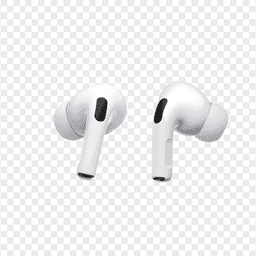
Apple
AirPods Pro 2
Lost your $249 AirPods Pro 2? Use EarBuddy to scan for their Bluetooth signal in real-time — works even without Precision Finding or U1 chip.

Samsung
Galaxy Buds 3 Pro
Lost your Samsung Galaxy Buds 3 Pro? EarBuddy scans for their BLE signal on any phone — no Samsung account or Galaxy phone required.
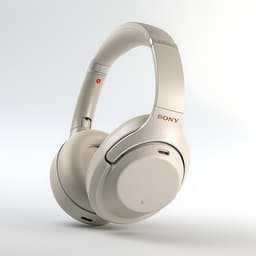
Sony
WF-1000XM5
Lost your $298 Sony WF-1000XM5 earbuds? Sony's app only works when connected. EarBuddy detects the passive BLE signal to help you find them.