
Lost Earbuds at the Gym? How to Tell Which Bluetooth Signal Is Yours
Metal lockers, packed bags, and other people's earbuds can confuse your search. Learn how to tell which Bluetooth signal is actually yours.

If you lost your earbuds at the gym, the strongest Bluetooth signal isn't necessarily yours, and a weak signal doesn't mean your earbuds are far away. Metal lockers can block or reflect signals, your own bag can keep the earbuds close to your phone, and a busy room can fill a scan list with other people's devices. To tell yours apart, look for a matching brand, test your own bag separately, and compare signal changes from a few fixed positions rather than following every jump.
Metal Lockers Can Make Nearby Earbuds Look Far Away
A closed metal locker can weaken a Bluetooth signal enough that earbuds a few feet away appear faint or disappear from a scan. Gaps around the door may let more signal through than the sides. That means the reading can improve near a door seam without pointing directly at the earbuds.
Weight machines, racks, and metal benches can also reflect signals. Your body and people walking between you and the device can change the reading. One sudden increase isn't proof that you've found the right locker, and one drop isn't a reason to abandon the area.
If your own locker is involved, change one thing at a time:
- Keep your phone in roughly the same position and open your locker. Give the reading a few moments to settle before comparing it.
- Move your bag out of the locker while leaving the phone still. A repeatable improvement makes the bag worth examining separately.
- Compare readings from the front and a short distance to either side. Look for a pattern, not an exact distance.
- Only open your own locker. A signal near someone else's locker isn't evidence that your earbuds are inside it.
Check Whether You're Carrying the Signal
If you carry your gym bag while searching, earbuds inside it stay close to your phone wherever you go. You might cross the changing room and keep getting a strong reading, then assume the scanner is unreliable. In reality, you're moving the possible source along with you.
Fabric alone usually isn't the biggest obstacle. But a case tucked between a full water bottle, shoes, damp clothing, and other belongings may produce a different reading when you turn the bag or lift it. Don't use signal strength to decide that a particular pocket must be empty.
Separate yourself from the bag before drawing conclusions:
- Put the bag somewhere permitted and keep it in sight. Leave your jacket and other carried belongings beside it.
- Walk several steps away with only your phone, where space allows. Pause and see whether the same candidate signal weakens.
- Return to the same spot near the bag. A repeated rise is more useful than a single strong reading.
- If the pattern follows the bag, stop roaming the gym. Unpack your own bag onto a clear surface and physically check its compartments.
A signal that follows your bag is a clue, not proof. Someone nearby may be moving too. Repeat the comparison before deciding where the earbuds are.
A Busy Scan List Isn't a List of Lost Earbuds
At a busy gym, nearby Bluetooth devices may include watches, fitness trackers, headphones, and equipment. Some earbuds won't appear at all, depending on their state and whether they're broadcasting a detectable signal. The list is a view of nearby detectable signals, not a complete inventory of everything in the room.
EarBuddy's brand identification can help you narrow the candidates when scanning on an iPhone. If you're looking for one brand, a clearly different brand is a weaker lead. But a brand match cannot establish ownership. Several people in the same room may have identical earbuds.
Names aren't reliable ownership checks either. A generic model name may match yours simply because it's a popular product. An unfamiliar label doesn't automatically rule a device out. Avoid choosing whichever entry looks most familiar and treating every later reading as confirmation.
Compare Patterns, Not Just Signal Strength
Choose one plausible candidate and compare it from two or three nearby positions. Hold your phone similarly each time and pause before reading it. Constantly rotating the phone, walking, and switching candidates makes it difficult to know what caused a change.
EarBuddy's smoothed signal-strength radar and hot/cold guidance can help you notice a trend rather than react to each fluctuation. Its haptic feedback speeds up as you get closer. In a room full of metal and moving people, use those cues as supporting evidence, not proof of a particular pocket or locker.
These patterns help you decide which lead deserves attention:
- The signal repeatedly strengthens near your stationary bag and weakens away from it: examine the bag before searching farther.
- The reading changes sharply when your own locker opens: the metal door may have been masking a nearby signal.
- A strong candidate fades as another gym user leaves: it may have belonged to them. Don't follow the person.
- Several candidates fluctuate without a repeatable pattern: pause until foot traffic clears, then compare again from the same positions.
Confirm Ownership With Something More Than Bluetooth
Before claiming a pair, check details you actually know: the case cover, a scratch, an attached clip, or a distinguishing mark. A matching brand and a strong signal only make it a candidate. If someone else has the device, describe yours and ask politely rather than treating the scan as evidence against them.
If nothing appears, don't conclude that your earbuds have left the building. A closed locker or the device's operating state may prevent detection. EarBuddy cannot find a device whose battery is dead. At that point, a physical check of your own belongings is more useful than repeatedly refreshing an empty scan.
Need help comparing nearby signals? Download EarBuddy from the App Store for iPhone. Use brand identification and hot/cold signal guidance to narrow the candidates, then confirm which earbuds are yours.
Download EarBuddy — Free Bluetooth ScannerRelated Devices
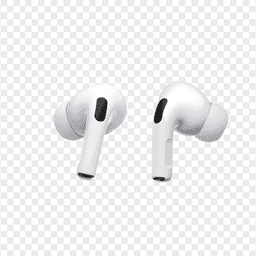
Apple
AirPods Pro 2
Lost your $249 AirPods Pro 2? Use EarBuddy to scan for their Bluetooth signal in real-time — works even without Precision Finding or U1 chip.

Samsung
Galaxy Buds 3 Pro
Lost your Samsung Galaxy Buds 3 Pro? EarBuddy scans for their BLE signal on any phone — no Samsung account or Galaxy phone required.
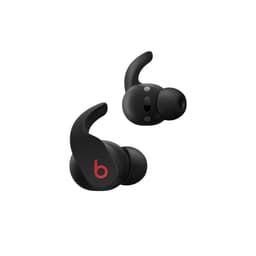
Beats
Fit Pro
Lost your Beats Fit Pro? Find My only shows last location. EarBuddy gives you real-time Bluetooth scanning to physically track them down.